
Table of content
- Dexcom G7 Gets an Upgrade: 15 Days of Continuous Monitoring
- Technical Specification of 15-day Dexcom G7
- User Benefits of the New Dexcom G7 Sensor Device
- Standard G7 vs New Dexcom G7 Sensor
- How to Place G7 Sensor (10 OR 15-Days)
- How to Replace Dexcom G7 15-Day Sensor
- Limitations in the New Dexcom Sensor
- Conclusion:
- Frequently Asked Questions
The Dexcom G7 15-day sensor received FDA clearance ((Class II, iCGM)) on April 10, 2025, for adults aged 18 and older. The Dexcom G7 15-day was cleared by the US Food and Drug Administration under a 510(k) number K243214, as a “substantial equivalence” modification to a previously cleared device.
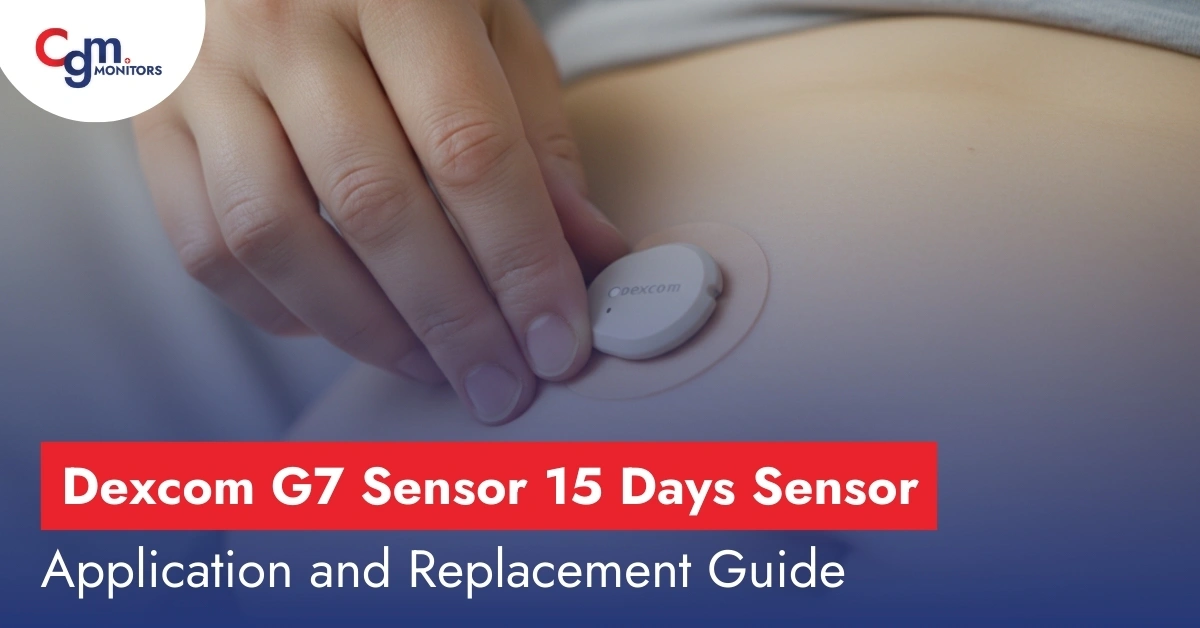
After all that legal documentation and news, you must hear the news from Dexcom that it has launched the new Dexcom sensor with amazing features. The New Dexcom G7 sensor is a game-changer for the diabetic community because it gives you 15 days of wear time with 12 12-hour grace period. The Dexcom G7 sensor launched on December 1, 2025, in the US for adults who are 18 years or above. That means this sensor is not used for pediatric. In this CGM monitors post, we will guide you to the best things about the newly launched Dexcom G7.
Dexcom G7 Gets an Upgrade: 15 Days of Continuous Monitoring
The new Dexcom sensor, officially known as the Dexcom G7 15-day sensor, is an updated version of the standard G7. It means that the new G7 Dexcom has the same dimensions as the standard one, which is about 60% smaller than the G6 sensor. The G7 sensor can be worn for up to 15 days with a 12-hour grace period. That’s roughly 50% longer than the old Dexcom G7 sensor that lasted 10.5 days. It offers a MARD of 8.0% slightly better than the old version, which has 8.2%. It really matters for the diabetic community.
According to Dexcom’s official announcement. The G7 15-day version is currently cleared for adults 18 years and older with type 1/2 or gestational diabetes. As it is launched on December 1, 2025, in the US, the sensor is eligible for coverage under Medicare for beneficiaries who meet Medicare’s CGM coverage criteria.
Technical Specification of 15-day Dexcom G7
- Wear Time: Each G7 15‑Day sensor is cleared for up to 15 days of wear, plus a 12-hour grace period for convenient replacement. It means you need just 2 for a full month of CGM supply.
- Warm-up Time: After insertion, the G7 sensor begins measuring glucose in approximately 30 minutes, but according to eurekalert, the actual time experienced was around 27 minutes.
- Measurement: G7 collects glucose data from the bloodstream every 5 minutes and transmits it continuously. It covers a typical glucose range (≈40–400 mg/dL).
- Waterproofing: Users can shower, swim or exercise in water with no signal loss because G7 sensors are waterproof with an IP68 rating. Submersion rate is up to ~2.4 meters for 24 hours. Keep in mind it is waterproof, not water-resistant.
- Power: The sensor is single‑use with an internal battery lasting the full 15 days of the wear period.
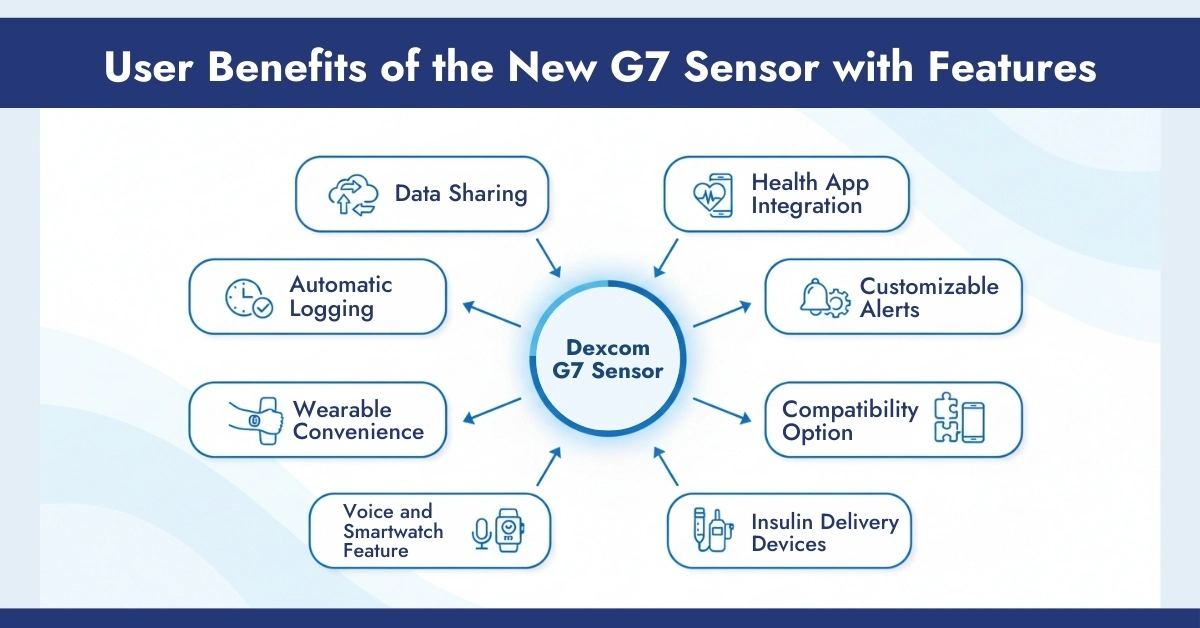
User Benefits of the New Dexcom G7 Sensor Device
Wearable Convenience
The one‑step applicator makes sensor insertion nearly painless. G7 sits flat and discreet on the back of the arm. A biodegradable adhesive overpatch available on CGM Monitors secures the sensor. These overlay patches are hypoallergenic in nature and are designed to stay on for the full wear. If your skin is oily and you fear that your sensor will fall off from the skin early, before the actual wear time. We recommend using G7 Patches.
Automatic Logging
The G7 app automatically logs activity, meals and medication events to help correlate behaviour with glucose changes of the patient. Users manually enter carbs/meds; activity data can sync from the compatible phone directly.
Data Sharing
Real-time glucose data can be shared with up to 10 followers (caregivers, family, or clinicians) via the Dexcom Follow app, which can be downloaded easily.
Voice and Smartwatch Feature
G7 pairs with smart home devices and voice assistants (e.g. Alexa) for spoken glucose checks. It has a direct Apple Watch app: you can view G7 glucose and alerts on your watch without the need for a third-party source.
Health App Integration
G7 can share glucose data to Apple Health via the G7 app. This allows cross-platform logging of glucose alongside fitness and nutrition data.
Customizable Alerts
G7 offers the full suite of glucose alerts: high, low, and Urgent Low Soon (predictive) alarms. It can warn of impending severe lows (~20 minutes in advance, at ~55 mg/dL).
Compatibility Option
G7 is compatible with recent iOS (usually requires iOS 16.5 or later) and Android devices (Android 9.0+ in the U.S., Android 8.0+ internationally). This G7 app has a watchOS version for Apple Watch: once paired with an iPhone, the Apple Watch can display glucose values and alerts directly.
Insulin Delivery Devices
G7 interoperates with many insulin pumps like Tandem Tslim X2 (control IQ), Omnipod 5 system, Ilet Bionic Pancrease and more. It means it has become an all-in-one sensor in the CGM market.
Standard G7 vs New Dexcom G7 Sensor
Dexcom redesigned the sensor’s enzymatic chemistry and membrane technology to sustain accuracy over an extended period.
| Feature | Dexcom G7 10-Day Version | Dexcom G7 15-Day Version |
| Wear Duration | 10 days + 12-hour grace | 15 days + 12-hour grace |
| MARD | 8.2% | 8.0% |
| Warm-Up Time | 60 minutes | 30 minutes (~ 27 minutes reported in clinical trail) |
| Update Frequency | Every 5 minutes | Every 5 minutes (unchanged) |
| Water Resistance | IP68 (8 ft/24 hrs) | IP68 (8 ft/24 hrs) |
How to Place G7 Sensor (10 OR 15-Days)
The application of the newly launched G7 is simple, just like the standard version. Keep in mind that this new sensor is only for adults, not for pediatric use. On the other hand, the 10-day standard Dexcom G7 is applicable for both adult and pediatric use.
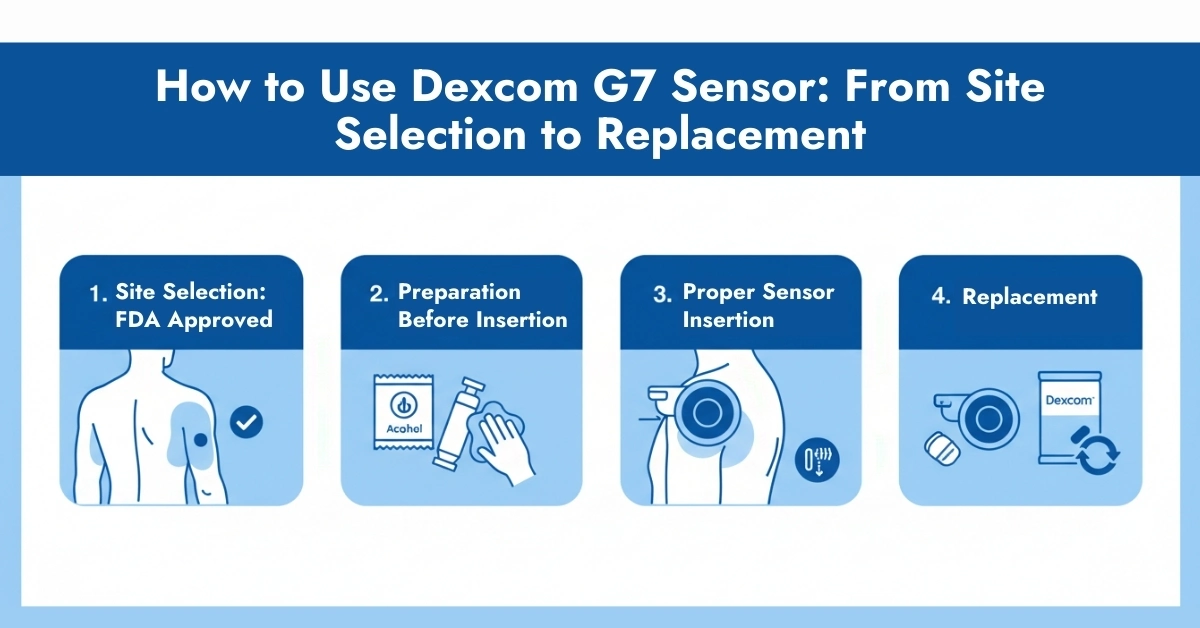
1. Site Selection
The only FDA‑approved site for placing a new Dexcom G7 sensor in adults is on the back of the upper arm. The standard Dexcom G7 sensor application site is also the same, but this sensor is used by both adults and children (age 2 +). This location was tested by Dexcom and shown to offer optimal accuracy and performance. The other sites, like the upper buttock, abdomen and thigh, are off-label sites.
Best selection tips:
Enough Fat: Choose a spot with enough fatty layers to avoid the muscle and bone area.
Avoid Irritations: Stay away from scars, tattoos, irritation, and areas with lots of hair.
Clear Space: Ensure it’s at least 3 inches (8 cm) from insulin pump sets or injection sites.
No Bumps: Pick a spot that won’t get bumped, pushed, or lain on while sleeping.
Important Notes: Here is the guide on Dexcom G7 placement that is written based on reviewing the medical platform and articles. After reading this, you will come to the point in selecting the right placement for your G7.
2. Preparation Before Insertion
- Wash your hands with sanitiser and clean the site with an alcohol wipe to prevent infection.
- Wait 10 seconds to let your skin dry completely.
- Trim your hair for proper adhesion.
- Do not apply lotions or sunscreens on the insertion site it will lose the adhesion of the sensor, which causes detachment earlier.
3. Proper Sensor Insertion
The new G7 uses an applicator that is preloaded just like the standard one. To apply, here are the steps.
- Use a mirror for proper application.
- Pull off the cap of the applicator.
- Maintain the 90-degree angle against the applicator to the back of your arm.
- Press the applicator button until you hear “Click”.
- The applicator automatically inserts the tiny filament sensor under the skin and leaves the device attached. It is a painless procedure.
Precaution: CGM Experts recommend that you should remove the sensor after completing its weartime and wear a new one. If you delay, you experience unexpected conditions like infection or sometimes bleeding during forceful removal.
Wearing Adhesive Patches: After insertion, use the third-party overpatch for better protection against earlier detachment. Remove the paper liners from the back of the overlay patch and apply the clear side over the sensor. Press the edges of the patch and put the palm hold for 30 seconds to 1 minute for proper attachment. The overpatch helps the sensor stay on the skin for the full wear period.
After Insertion: Once the sensor is applied along with the patch (for extra security), the sensor begins a warm-up. Dexcom G7 15‑Day starts displaying glucose in about 30 minutes. The device will show a countdown timer. During 30 minutes of warm-up, no glucose values or trend arrows appear on your compatible smartphones.
After Warm-Up Time: G7 measures and transmits glucose every 5 minutes to your smartphone display. Wear it continuously for up to 15.5 days. You can shower, swim, and exercise normally with the sensor on. For hard exercise, we recommend that you do it after putting an overpatch on it. Take care not to press the sensor too forcefully.
How to Replace Dexcom G7 15-Day Sensor
After 15 days or at the first sign of sensor failure, dispose of the old sensor. Here are the steps to take:
- Press firmly around the edges.
- Peel off the patch with your thumb and index finger. Use a mirror to do it perfectly.
- Remove the sensor slowly; do not apply force.
- Do not put on your sofa or dining. Dispose of as per the biohazardous waste instructions.
- Insert a new sensor/applicator following the same above steps.
Limitations in the New Dexcom Sensor
- Age restriction: 15-day sensor is approved only for adults (18+). Those under 18 must continue with the standard G7 sensors.
- Coverage and Rescription: Users may need a new prescription to upgrade. DME providers may have specific ordering procedures. Do not worry about the CGM platform; you can check your eligibility.
- Waterproof only when properly installed: As with any CGM, improper application or adhesive failure may compromise water resistance.
Conclusion:
If you’re an adult living with diabetes and using CGM (or considering it), the Dexcom G7 15-Day is a strong option for your next sensor. The combination of longer wear time, high accuracy, fewer sensor changes, and smooth integration with apps and devices gives you a more seamless, less intrusive way to monitor glucose and more freedom in your daily life.
Frequently Asked Questions
Who can use Dexcom G7 15-Day?
Adults (age 18+) with type 1, type 2, or gestational diabetes. For pediatric and adult use, you can use the standard Dexcom G7, but it has just 10 days of wear time.
How long does the New Dexcom G7 Sensor last?
Up to 15.5 days, including the built-in grace period. Dexcom has improved this sensor after the report on standard Dexcom, which showed that about 74% of sensors reach full wear, while around 26% may end earlier.
How often are glucose readings updated?
Every 5 minutes, providing up to 288 glucose readings per day. The interesting fact about CGM monitors.
What is the Dexcom G7 Sensor 15-Day and how does it work?
The Dexcom G7 15-Day is a wearable continuous glucose monitoring (CGM) system for adults 18+ with diabetes. It measures glucose levels in interstitial fluid just under the skin and automatically sends real-time readings every 5 minutes to a compatible smartphone or smartwatch. Predictive alerts help users manage high and low glucose levels and support improved A1C control.
How do I apply the Dexcom G7 15-Day sensor correctly for optimal readings?
Select a flat, fatty area on the back of the upper arm. Clean the skin with alcohol and allow it to dry completely. Press the all-in-one applicator firmly against the skin until it clicks, then push the button for insertion. Rub the patch edges and apply the included overpatch to ensure secure adhesion and accurate performance.
How much does a single Dexcom G7 15-Day sensor cost without insurance?
Without insurance, a single Dexcom G7 15-Day sensor typically costs around $190–$200. Many pharmacies and CGM suppliers offer monthly subscription options that may reduce overall costs.
What are the key differences between the Dexcom G7 15-Day and previous Dexcom models?
The Dexcom G7 15-Day provides about 50% longer wear compared to standard Dexcom G7 sensors. It offers improved accuracy (MARD ~8.0% vs. ~8.2%), is approved for adults 18+ only, uses the same easy applicator and app, and reduces monthly sensor changes from three to two.
What are the benefits of using a 15-Day CGM sensor?
A 15-day sensor means fewer insertions each month, reduced skin irritation, less waste, and fewer interruptions. Users still receive continuous real-time glucose data and alerts, supporting consistent glucose control with less daily burden.
When does an unopened Dexcom G7 15-Day sensor expire?
Each unopened sensor has an expiration date printed on the packaging, typically several months to one year from purchase. Store sensors in a cool, dry place and always check the expiration date before use.
How does Dexcom G7 15-Day compare with other CGM systems?
Dexcom G7 15-Day stands out with the longest wear time (up to 15.5 days), high accuracy (MARD ~8%), real-time alerts, and strong smartwatch and pump integration. Competing CGMs such as Libre 3 Plus or Medtronic Simplera may offer different pricing or pump compatibility but generally have shorter wear durations.
What insurance coverage is available for Dexcom G7 15-Day sensors?
Most Medicare plans cover Dexcom G7 15-Day sensors for insulin users or those with a history of hypoglycemia, often with low or no copay. Many commercial insurance plans also provide coverage. Eligibility and out-of-pocket costs can be confirmed through a benefits check.



Write a comment
Your email address will not be published. All fields are required