
Table of content
- Introduction
- What is FreeStyle Libre 2 Plus?
- Key Features of FreeStyle Libre 2 Plus:
- FreeStyle Libre 2 Plus Compatibility Requirements
- Complete List of FreeStyle Libre 2 Plus Compatible Phones
- Understanding Geographical Compatibility Differences
- Smartwatch Compatibility with FreeStyle Libre 2 Plus
- FreeStyle Libre 2 Plus Reader: The Alternative Solution
- Quick Summary to Remember:
- People Ask For
Introduction
Looking for the most accurate list of FreeStyle Libre 2 Plus compatible phones and smartwatches in 2025-26? You’re in the right place to find which phones and watches are compatible. Device compatibility is critical for seamless connection with the LibreLink app for real-time glucose tracking. If your device isn’t compatible, how can you manage your glucose level properly? In this comprehensive guide, you will learn about Libre 2 Plus compatible phones and watches, and how to manage your glucose levels effectively using this advanced sensor. But before we explore which devices are supported, let’s quickly understand what makes the FreeStyle Libre 2 Plus special after the discontinuation of the old FreeStyle Libre 2 in September 2025.
What is FreeStyle Libre 2 Plus?
FreeStyle Libre 2 Plus represents a significant advancement in continuous glucose monitoring (CGM) technology after the Libre 2. This next-generation sensor builds upon the success of the original FreeStyle Libre 2 by introducing several enhanced features that make diabetes management easier and more accurate than ever before.
The FreeStyle Libre 2 Plus sensor is small, discreet, and designed to be worn on the back of the upper arm. It continuously monitors glucose levels in your interstitial fluid, providing real-time data to help you make informed decisions about your diabetes management.
Key Features of FreeStyle Libre 2 Plus:
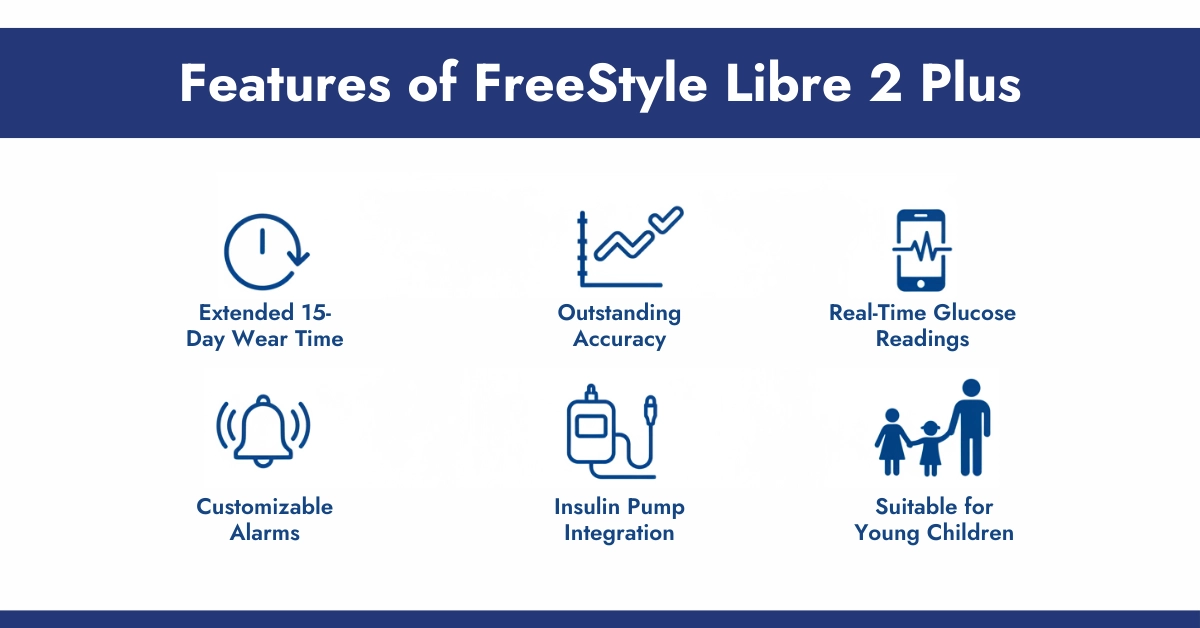
- Extended 15-Day Wear Time: The most notable upgrade is the extended wear period of up to 15 days, compared to 14 days with the standard Libre 2.
- Outstanding Accuracy: The Libre 2 Plus demonstrates exceptional accuracy, with a MARD value of only 8.2% according to NIH reports.
- Real-Time Glucose Readings: Unlike the original FreeStyle Libre that required scanning, the Libre 2 Plus automatically sends glucose readings to your compatible smartphone every minute when started with the LibreLink app.
- Customizable Alarms: Set personalized alerts for high and low glucose levels. These alarms can be silenced for up to 6 hours, reducing unnecessary interruptions during meetings, sleep, or other activities.
- Insulin Pump Integration: The Libre 2 Plus is authorized to work with select automated insulin delivery systems, including the Omnipod 5 and Tandem t:slim X2 insulin pumps.
- Suitable for Young Children: Approved for use in children as young as 2 years old, making it an excellent option for families managing pediatric diabetes.
Note: According to Abbott, the previous model of libre 2 has been permanently discontinued. If you have left behind and want to know which phones and watches are compatible with Libre 2, then take this guide. It will surely help you.
FreeStyle Libre 2 Plus Compatibility Requirements
Before purchasing a FreeStyle Libre 2 Plus sensor, it’s essential to verify that your smartphone meets the necessary requirements. Here’s what you need to know:
Requirements for iOS Devices:
- Operating System: iOS 15.5 or higher (compatible with iOS 15.5 through iOS 18.0.1)
- Special Features: All compatible iPhones have built-in NFC capability required for sensor scanning
- Where to Check iOS Version: Go to Settings > General > About
Requirements for Android Devices:
- Operating System: Android 8.0 or higher (Android 9+ recommended for optimal performance)
- NFC Capability: Must have Near Field Communication (NFC) hardware for scanning the sensor
- Bluetooth Low Energy: Required to receive real-time alarms and glucose readings
- Where to Check Android Version: Go to Settings > System > About Phone > Android version
- Where to Enable NFC: Settings > Connections > NFC and contactless payments
Important Note: Beta operating system versions are not evaluated or supported. Additionally, the LibreLink app cannot be used with jailbroken iOS devices or rooted Android devices that are available in mod apk files.
Complete List of FreeStyle Libre 2 Plus Compatible Phones
The FreeStyle Libre 2 Plus works with a wide range of smartphones from various manufacturers. Here’s the comprehensive breakdown:
Apple iPhone Models (All Running iOS 15.5+):
Standard iPhone Models:
- iPhone 7, 7 Plus
- iPhone 8, 8 Plus
- iPhone X, XR, XS, XS Max
- iPhone 11, 11 Pro, 11 Pro Max
- iPhone 12, 12 Mini, 12 Pro, 12 Pro Max
- iPhone 13, 13 Mini, 13 Pro, 13 Pro Max
- iPhone 14, 14 Plus, 14 Pro, 14 Pro Max
- iPhone 15, 15 Plus, 15 Pro, 15 Pro Max
- iPhone 16, 16 Plus, 16 Pro, 16 Pro Max
- iPhone 17, 17 Pro, 17 Pro Max (some issues related iOS but it will be resolved)
iPhone SE Models:
- iPhone SE (2020 – 2nd generation)
- iPhone SE (2022 – 3rd generation)
Samsung Galaxy Compatible Models:
Galaxy Alpha Series:
- Samsung Galaxy A7, A20, A21, A30, A32 5G, A34, A41, A52 5G, A53 5G, A54 5G
Galaxy S Series:
- Samsung Galaxy S7 Edge, S8, S8+, S9, S9+, S10, S10+
- Samsung Galaxy S20, S21 5G, S21 5G Olympic Games Edition
- Samsung Galaxy S22, S23, S23+, S24, S24 Ultra and the latest S25 ultra
Galaxy Z Series (Foldables):
- Samsung Galaxy Z Flip series
- Samsung Galaxy Z Fold series
Galaxy Note Series:
- Samsung Galaxy Note8, Note9, Note10+, Note20 Ultra 5G
Other Galaxy Models:
- Samsung Galaxy Feel2
Google Pixel Compatible Models:
- Google Pixel (1st generation)
- Google Pixel 2, 2 XL
- Google Pixel 3, 3 XL
- Google Pixel 4, 4 XL
- Google Pixel 5, 5a
- Google Pixel 6, 6 Pro, 6a
- Google Pixel 7, 7 Pro, 7a
- Google Pixel 8, 8 Pro, 8a
- Google Pixel 9, 9 Pro, 9 Pro XL
Note: Google Pixel 10, 10 Pro, 10 Pro XL (Not listed on official FreeStyle Libre till December 2025), but CGM Monitors’ users say that these google series are compatible with Libre 2 Plus. If you are reading in late 2025 or in 2026, surely it will have been listed on the official FreeStyle Libre websites.
LG Compatible Models:
- LG Nexus 5X
- LG style2, style3
Sony Xperia Compatible Models:
- Sony Xperia 1, 1 II, 1 III
- Sony Xperia 5, 5 II, 5 III
- Sony Xperia 8
- Sony Xperia 10 II, 10 III
- Sony Xperia Ace II
Xiaomi Compatible Models:
- Xiaomi Redmi series (various models)
- Xiaomi Note series
- Xiaomi 11 Lite 5G NE
- Xiaomi 13T, 13T Pro
Pro Tip: For the most up-to-date list of compatible devices specific to your region, always check Abbott’s official FreeStyle Libre compatibility guide at their support website before purchasing a new phone or the sensor.
Understanding Geographical Compatibility Differences
One critical aspect many users overlook is that FreeStyle Libre 2 Plus compatibility can vary by geographic region. This means a phone listed as compatible in one country may not be fully supported or tested in another.
Why Geographic Compatibility Matters:
- Regulatory Approvals: Different countries have varying medical device regulations that affect which features are available in each region.
- Firmware Variations: The same phone model may have different firmware versions depending on where it was purchased, potentially affecting alarm functionality and Bluetooth connectivity.
- Carrier Restrictions: Some mobile carriers may have locked certain features at the firmware level, impacting the sensor’s ability to communicate with the phone.
Real-World Examples:
A Samsung Galaxy S24 Ultra purchased in the United States may be listed as fully compatible, while the same model purchased in Canada might be marked as “untested” or have limited alarm functionality. Similarly, a Google Pixel 9 Pro might work perfectly with all features in Europe but may have restricted alarm capabilities in the Asia Pacific region.
Important: Always verify compatibility for your specific region on Abbott’s website before relying on your device for glucose monitoring.
Smartwatch Compatibility with FreeStyle Libre 2 Plus
While the FreeStyle Libre 2 Plus does not have official direct-to-watch connectivity like some competing CGM systems, users can still receive glucose readings and notifications on their smartwatches through notification mirroring and third-party applications.
Official Smartwatch Support (Notification Mirroring):
The FreeStyle LibreLink app supports notification mirroring to compatible smartwatches, enabling users to receive glucose alerts directly on their wrist. Here are the officially tested smartwatches:
Apple Watch Compatibility:
- Apple Watch Series 4 and newer
- Apple Watch SE (1st and 2nd generation)
- Apple Watch Ultra, Ultra 2
- Requires watchOS 9.0 or later
Important Note: Your iPhone must remain within Bluetooth range for notifications to reach your Apple Watch
Samsung Galaxy Watch Compatibility:
- Samsung Galaxy Watch 4 and newer models
- Samsung Galaxy Watch 5, Watch 6, Watch 7
- Samsung Galaxy Watch Ultra
- Requires Wear OS 4.0 or later
- Works through notification mirroring from the LibreLink app
Third-Party Apps for Enhanced Smartwatch Integration:
Many FreeStyle Libre 2 Plus users have found workarounds to display glucose readings directly on their smartwatch faces using third-party applications. Here are the most popular options:
For Apple Watch Users, Download these Apps:
- Shuggah (formerly xDrip4iOS)
- Sweet Dreams – Sugar Tracker
- Nightguard
For Samsung Galaxy Watch & Wear OS Users:
Utilise these apps for optimal use of Libre 2 Plus.
- Gluroo Diabetes Logger
- Wearable Widgets
- Juggluco
Disclaimers About Third-Party Apps:
- Third-party apps are not officially endorsed by Abbott.
- Functionality may be affected by app or phone updates.
- Always verify readings with the official app or reader when making treatment decisions
What About Direct-to-Watch Functionality?
As of November 2025, Abbott has announced plans to bring Apple Watch compatibility to their newer “Libre by Abbott” app. However, this feature will NOT be available for the legacy FreeStyle Libre 2 or Libre 2 Plus apps.
For users specifically seeking official direct-to-watch functionality without third-party apps, the Dexcom G7 CGM system currently offers this feature and may be a worthwhile alternative to consider.
FreeStyle Libre 2 Plus Reader: The Alternative Solution
If you’re tired of dealing with phone compatibility issues or simply prefer a dedicated device, the FreeStyle Libre 2 Reader offers a reliable alternative.
Benefits of Using the Reader:
- Dedicated Device: Purpose-built for glucose monitoring with no other distractions.
- No Phone Required: Perfect for situations where carrying a smartphone is impractical.
- Long Battery Life: Designed to last throughout the day without frequent charging.
- Compact and Portable: Fits easily in a pocket or small bag.
- Same Accuracy: Provides the same accurate readings as the phone app.
- Simple Interface: Easy-to-read screen with straightforward navigation.
- Works with Existing Sensors: Compatible with both Libre 2 (discontinued in September 2025) and Libre 2 Plus sensors.
Quick Summary to Remember:
- FreeStyle Libre 2 Plus offers 15-day wear time, the longest among Abbott sensors, just like FreeStyle Libre 3 Plus.
- MARD value of 8.2% makes it one of the most accurate CGMs.
- Compatible with iPhone 7 and newer (iOS 15.5+) and Android 8.0+ with NFC.
- No official direct-to-watch support, but third-party apps provide workarounds.
- Can be used with select automated insulin delivery systems like Omnipod 5 and t:slim X2.
- Real-time readings require starting the sensor with the app, not the reader.
Disclaimer: This article is for informational purposes only and should not replace medical advice from your healthcare provider. Always consult with your doctor or diabetes care team before making changes to your diabetes management plan.
People Ask For
How can I check if my smartphone is compatible with the Libre 2 Plus app?
Check Abbott’s official compatibility guide on freestyle.abbott for supported iOS and Android devices. Open the FreeStyle LibreLink app—it shows if your phone is compatible, untested, or not supported. Make sure your phone has NFC for scanning and Bluetooth for real-time alerts to ensure smooth Libre 2 Plus CGM monitoring.
How do FreeStyle Libre 2 Plus app updates affect phone and smartwatch compatibility?
App updates expand support for newer OS versions and devices while maintaining reliable Bluetooth connectivity and CGM alarms. Some phones may appear untested temporarily, but most users experience smoother performance after updates. Smartwatch mirroring also improves with updates, relying on your phone’s active notifications.
What are the latest phones officially compatible with FreeStyle Libre 2 Plus?
Libre 2 Plus works with recent iPhones (up to iPhone 16 series) on iOS 15.5+ and many Android phones with NFC running Android 8+. Popular devices include Samsung Galaxy series, Google Pixel models, and iPhone 14-16 lines. Always confirm on Abbott’s compatibility guide for optimal sensor and app performance.
What new Android phones have been added to the Libre 2 Plus compatibility list recently?
Recent additions include flagship Androids like Samsung Galaxy S24/S25, foldables, and Google Pixel 8/9 series. Real-world testing shows good Libre 2 Plus app performance even if phones are not yet officially listed. Abbott updates the list quarterly to ensure alarms, scanning, and real-time CGM readings remain reliable.
What common issues occur with Libre 2 Plus app updates and phone compatibility?
Users may experience Bluetooth dropouts, delayed alarms, or NFC scanning glitches after OS upgrades. Restarting the app or phone usually resolves these issues. Untested devices may lose real-time CGM features, so regularly check in-app compatibility to avoid interruptions.
Why is phone compatibility important for FreeStyle Libre 2 Plus?
Compatible phones ensure accurate real-time glucose readings, reliable alarms, and seamless data sharing with caregivers. Incompatible phones may cause missed alerts or scanning failures, affecting daily diabetes management and CGM reliability.
Who benefits most from Libre 2 Plus phone and smartwatch compatibility?
Active users, parents managing children’s diabetes, and busy adults gain quick glucose insights via smartwatch mirroring. Newer phone users enjoy automatic minute-by-minute updates, while caregivers using LibreLinkUp benefit from broader device support and faster alerts.
How is the user experience on foldable phones with Libre 2 Plus?
Samsung Galaxy Z Fold/Flip users report reliable NFC scanning and stable Bluetooth connections. Larger screens enhance graph and trend readability, improving daily CGM monitoring. Minor alarm delays may occur if the device is unfolded during scans.
What are emerging smartwatch integrations for Libre 2 Plus?
Wear OS (Samsung Galaxy Watches) and Apple Watches support notification mirroring for glucose alerts. Third-party apps like LibreLinkUp display glucose readings on compatible smartwatches, keeping users informed without direct sensor connection. Future updates may improve integration further.
How do Android 14 and iOS 17 affect Libre 2 Plus connectivity?
iOS 17+ and Android 14 support real-time CGM data and alarms effectively. Occasional Bluetooth hiccups post-update usually resolve with app reinstall or phone restart. Abbott thoroughly tests these OS versions to ensure uninterrupted monitoring.
When are new compatibility updates released for the Libre 2 Plus app?
Abbott releases updates quarterly or after major OS launches, adding new phones and resolving connectivity issues. Check in-app notifications or Abbott’s guide monthly, especially around Apple and Google device releases. User feedback helps accelerate compatibility expansion.
Why aren’t all smartwatches compatible with Libre 2 Plus?
Direct smartwatch integration requires specific Bluetooth protocols and testing for accurate alarm mirroring. Some watches rely on secondary notifications through phones. This approach ensures that critical glucose alerts are delivered reliably even if the watch itself is limited.
Can I connect Libre 2 Plus to a smartwatch?
Yes, Libre 2 Plus sends glucose data to compatible smartwatches through the LibreLink app on your phone. Your watch mirrors the readings for convenient CGM monitoring.
Is Libre 2 Plus compatible with Apple Watch?
Yes, indirectly. Third-party apps like Shuggah, Sweet Dreams, and Nightguard allow Apple Watch users to view glucose readings. The LibreLink app on your iPhone syncs with the watch to provide real-time monitoring.
Can Libre 2 Plus connect to Fitbit?
Yes, Fitbit Versa 3 (OS 5.3+) can display glucose data via your phone running LibreLink. Fitbit acts as a display only, not a standalone CGM device.
Can Libre 2 Plus connect to Garmin watches?
Some Garmin models receive glucose alerts through third-party apps synced with your phone. Direct Bluetooth sensor support is limited, so real-time alerts depend on the phone connection.
Does FreeStyle Libre 2 Plus have a standalone watch app?
No, the Libre 2 Plus requires the LibreLink app on your phone. The watch mirrors glucose readings and notifications from the phone for real-time monitoring.
How can I connect my smartwatch with my phone for Libre 2 Plus?
Install the LibreLink app on your phone and pair your smartwatch via Bluetooth. The watch mirrors glucose notifications and readings, ensuring seamless CGM monitoring on the go.
Can I check my CGM on an Apple Watch?
Yes! Once your iPhone runs LibreLink, your Apple Watch displays glucose readings and alerts without needing to unlock your phone every time.



Write a comment
Your email address will not be published. All fields are required