
Introduction:
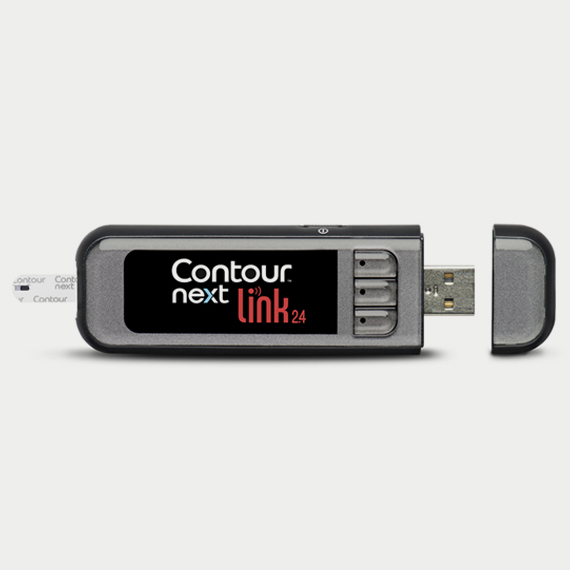
The Contour®Next Link 2.4 is a slim, wireless blood glucose monitoring system designed for home use by people with diabetes. An easy-to-use glucometer that communicates wirelessly with compatible Medtronic devices (630G/770g pumps) for seamless integration. Precision within 10% of lab readings. You can apply more blood to a similar test strip within 30 seconds if you didn’t get sufficient the first time. It enables on‑meter manual or preset insulin bolusing via the pump’s Bolus Wizard, reducing dosing errors
Note: MiniMed 780G insulin pump, a newer Medtronic device, appears not to support linkage with Contour Next Link 2.4. It is recommended to use a different model, like the Accu-Chek guide for proper integration.
Key Features:
Wireless Pump integration:
Transmits BG readings via 2.4 GHz RF (802.15.4/Zigbee) to the Medtronic MiniMed 630G and 670G insulin pump.
Remote Bolusing Features
Allows manual or preset insulin bolus to be sent from the meter to the pump. These features provide discreet on‑the‑go insulin dosing.
Second-Chance Sampling:
You can apply more blood to a similar test strip within 30 seconds if you didn’t get sufficient the first time while contour next gen offers 60 seconds
Fast Testing
Requires only 0.6 µL of blood and counts down in 5 seconds. A mg/dL result is then displayed with meal markers (Before/After Meal, Fasting) and color-range indicators.
Simple to use and convenient:
An up-to-date design with numerous features makes CONTOUR NEXT LINK 2.4 discreet and easy to use. It is Smart, stylish, and compact, with readings after a five-second countdown.
Rechargeable Battery
Built-in Li-polymer battery (250 mAh) is recharged via the USB cable included in the box. A 1-minute “Rapid Charge” provides enough power for one test, and a full charge (~2 hours) is done via a USB charger.
User Guide for Contour Next Link 2.4
Here are the 5 simple steps to follow.
1
to turn on press and hold the menu button and then connect the insulin compatible insulin pump like Medtronic 630g or 770G.
2
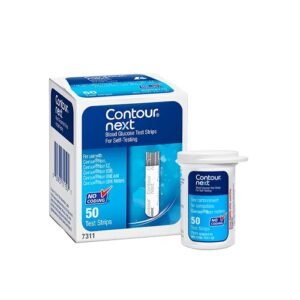
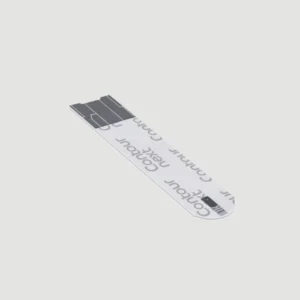
Open the test strip pack and insert the grey-ended strip into the meter. The meter will display a blood-drop icon to move further.
3
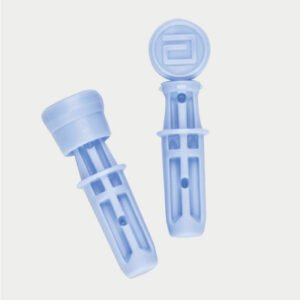
Use the lancing device supplied (or an approved alternative) to prick your fingertip or palm. Dispose of the used lancet safely and do not share it with others.
4
Take the second drop and put it at the tip of the inserted strip. The strip “sips” the blood automatically with an oxidase reaction.
5
Contour Next Link glucose meter shows your blood glucose result (mg/dL) on screen, in less than 5 seconds. You can also review past readings through the logbook.
What’s In the Box
The standard Contour Next Link 2.4 kit includes:
- Contour Next Link 2.4 meter with USB cap.
- Package insert, User Guide, Quick Reference guide.
- USB extension cable and 5 V USB wall charger (plus charger instructions).
- Carrying pouch (to hold meter and cable).
Related products



Alexander Wilson –
The Contour Next Link has exceeded my expectations in terms of usability and accuracy. The test strips are easy to handle, and the meter requires a very small blood sample, which is less painful than others I’ve used.
Isabella Thompson –
The Contour Next Link has been a lifesaver for me in managing my diabetes. Its sleek design fits perfectly into my daily routine.
Charlotte Davies –
I’ve been using the Contour Next Link for a few months now, and it’s been a game-changer for me. The design is user-friendly, with large buttons and a bright screen that’s easy to read.
Benjamin Harris –
It’s made managing my diabetes less stressful, and I feel more in control of my health. I highly recommend it to anyone looking for a reliable and easy-to-use glucose meter.