
Table of content
Is the FreeStyle Libre 3 Reader compatible with the test strips? Diabetes control is dependent on regular monitoring of blood glucose levels. The FreeStyle Libre 3 is a diabetic favourite because it provides the convenience of Continuous Glucose Monitoring (CGM) without the burden of regular finger-prick testing. However, users want to know if they can continue using test strips with the FreeStyle Libre 3 Reader for traditional glucose testing. The answer is yes, and in this article, we shall describe how to do it, its benefits, as well as critical information on compatibility and limitations.
Can Freestyle Libre 3 Reader Use Test Strips: Yes, It Can
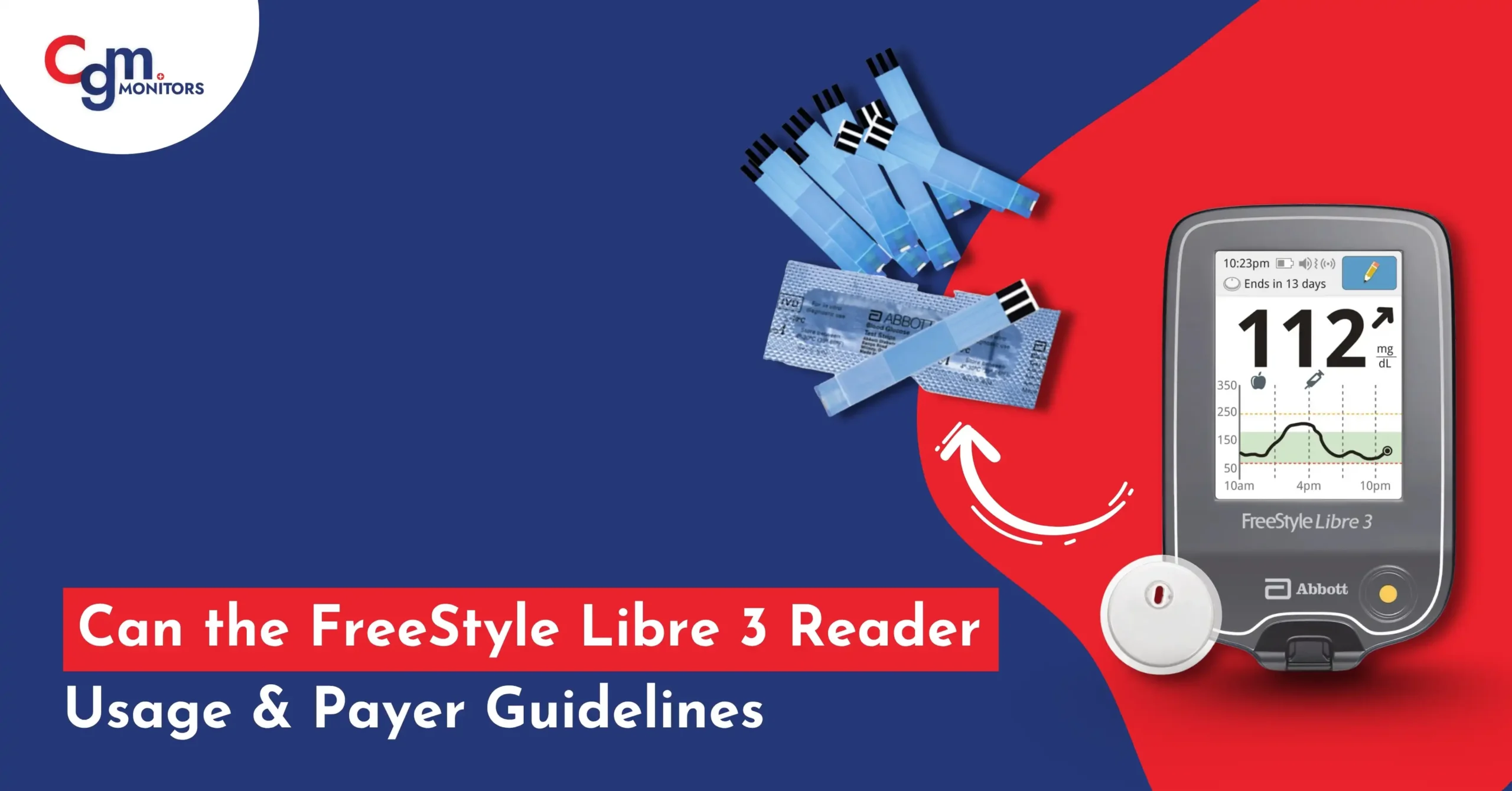
The FreeStyle Libre 3 Reader also features a built-in fingerstick blood glucose meter via which patients can perform fingerstick testing using Specialised test strips. This aspect provides a second means of Blood Glucose testing, thus complementing the system’s continuous glucose monitoring (CGM) feature. According to Abbott, the manufacturer, the reader can serve as a reliable glucometer for manual glucose checks when needed.
How to Use FreeStyle Libre 3 Reader Test Strips?
Operating test strips with the FreeStyle Libre 3 Reader is easy if you follow the correct procedure. The reader itself has a connected meter that is compatible with FreeStyle Precision Neo blood glucose test strips, giving reliable results when used correctly. This is how you carry out a fingerstick test:
- Wash your hands in warm, soapy water and dry them to prevent contamination that may influence results.
- Check the package of test strips for the expiration date. Expired FreeStyle Precision test strips could not provide an accurate test.
- Open the foil pocket along the notch provided by tearing and discard the test strip. Use it immediately to maintain its integrity.
- Insert the test strip into the reader’s test strip port with the three black lines facing up. Push until it stops, and the reader will activate automatically.
- Obtain a blood sample using a lancing device. Place a small drop of blood on the white area at the tip of the test strip.
- Wait for the result. The reader will display your blood glucose level on the screen.
- Remove and discard the used test strip according to local waste disposal regulations. Wash your hands again to prevent infection
For detailed guidance, refer to the FreeStyle Libre 3 Reader user manual and the instructions included with the FreeStyle Precision Neo test strips (FreeStyle Libre 3 User Manual). Always ensure proper handling and storage of test strips to maintain their accuracy.
Why Is This Feature Useful?
The capability to utilise test strips with CGM systems, such as the FreeStyle Libre 3 Reader, provides a number of advantages for people with diabetes:
- Backup Glucose Testing: If the CGM sensor fails to work or gives readings that seem suspicious, patients can switch back to conventional/traditional glucose testing to verify their blood glucose level.
- Convenience: FreeStyle Libre 3 Reader is both a continuous glucose monitoring (CGM) reader as well as a blood glucose meter, therefore minimising having to carry multiple devices. This feature is particularly convenient for use while travelling or in emergencies.
- Flexibility: An occasional fingerstick glucose test may be required, e.g., acute glucose fluctuation with exercise or symptoms of hypoglycemia or hyperglycemia, for rapid confirmation.
- Confirmation Provides: Users with the ability to confirm Continuous Glucose Monitoring (CGM) readings by performing a fingerstick test, which provides accuracy and confidence in emergencies.
This feature adds to the Libre 3 features and positions the system as an all-inclusive tool for full diabetes management. As noted in user discussions, this dual functionality is highly valued for its practicality.
Compatibility and Limitations
FreeStyle Libre 3 Reader glucometer is only compatible with FreeStyle Precision Neo blood glucose test strips. Others or different brands of test strips may lead to errors or incorrect results. Test strips have been specifically designed for the reader’s built-in meter, thereby giving precise results when utilised properly.
However, there are important limitations to consider:
- Indicated Use: The meter is indicated for self-testing in diabetic patients and is not indicated for diabetes diagnosis or use in critically ill patients, neonates, or hyperglycemic individuals and hyperosmolar states.
- Medical Conditions: Do not use the meter if one is hypotensive, in shock, or dehydrated, as these conditions will give you faulty results.
- Environmental Conditions: The unit can be used between 59°F and 104°F (15°C – 40°C). Use outside of this temperature range will produce an error message (E-1).
- Used Test Strip Disposal: Dispose of used test strips per local laws and medical waste disposal procedures.
Note: Libre 2 and 3 systems have been permanently discontinued by Abbott. We request that you use the Libre 2 Plus and Libre 3 Plus systems and enjoy 15 days of diabetes management with confidence. Your Libre 2 and 3 Readers are also compatible with these new sensors.
What Test Strips Work with Freestyle Libre 3?
Quick Answer is Libre 3 Reader → FreeStyle Precision Neo test strips.
The Abbott Libre 3 Reader has a built-in finger-stick glucose meter, but it only works with a specific type of test strip. Only FreeStyle Precision Neo Blood Glucose Test Strips are designed specifically for the reader’s internal glucose meter. These strips are used only for backup finger-stick testing when needed e.g if symptoms don’t match the CGM reading.
Note: Other strips (like FreeStyle Lite or other brands) will not work and may cause an error.
Key Considerations for Accurate Testing
| Aspect | Details |
| Compatible Test Strips | Only FreeStyle Precision Neo blood glucose test strips are supported. |
| Operating Temperature | 59°F to 104°F; errors may occur outside this range. |
| Test Strip Storage | Store properly, use immediately after opening, and check expiration dates. |
| User Restrictions | Not for neonates, critically ill patients, or those in specific medical states. |
| Error Messages | E-1 (temperature), E-3 (small blood sample), E-4 (high glucose), E-5 (early blood application), E-6/E-7 (incompatible/damaged strip). |
Conclusion:
The FreeStyle Libre 3 Reader can indeed use FreeStyle Precision Neo test strips, allowing users to perform traditional glucose testing alongside continuous glucose monitoring. This FreeStyle reader function provides added flexibility, convenience, and reliability for diabetes management. By using the correct test strips and following proper procedures, users can leverage this feature for backup glucose testing or manual glucose checks when needed. Always consult the user manual and test strip instructions to ensure accurate and safe use of this versatile blood glucose meter.
Frequently Asked Questions
What is the FreeStyle Libre 3 Reader and does it use traditional test strips?
The FreeStyle Libre 3 Reader is a compact handheld tool built for diabetic users to track glucose easily. It works purely through sensor scans and never needs traditional test strips, simplifying your routine so you focus more on living well than on supplies.
How do I check my glucose with the FreeStyle Libre 3 Reader without using test strips?
For diabetic patients, simply hold the Libre reader close to the sensor on your upper arm for a quick scan. It instantly shows your current glucose level through wireless connection, making daily checks painless and free from any strips or pricks while keeping you informed effortlessly.
How often should I scan the FreeStyle Libre 3 sensor with the reader for accurate readings?
As a diabetic managing your levels, scan the sensor whenever you need an update, like before meals or activity. Doing it every few hours or as per your routine ensures steady tracking of trends without constant effort, helping maintain stable control throughout the day.
How does the FreeStyle Libre 3 Reader get glucose readings from the sensor?
The reader wirelessly connects to the tiny sensor filament under your skin via a simple scan. It pulls glucose data from fluid around cells and displays the level right away, offering non-invasive insights that fit easily into your busy life.
What are the primary differences between the FreeStyle Libre 3 system and older Libre versions regarding test strip usage?
The Libre 3 system skips test strips entirely for everyday use, just like prior versions, yet features a smaller sensor and smoother scans for greater ease. This upgrade reduces hassle while delivering reliable readings that support your daily management without extra tools.
Why would someone still need to use traditional blood glucose test strips if they have a FreeStyle Libre 3 Reader?
Even with your FreeStyle Libre 3 Reader, diabetic patients may use strips occasionally for extra peace of mind during illness or big decisions. The sensor gives strong daily data, but a quick fingerstick adds that trusted backup layer to keep your actions safe and accurate.
Why is it important to confirm FreeStyle Libre 3 readings with a fingerstick test in certain situations?
Confirming with a fingerstick matters when your feelings or symptoms do not match the reader’s numbers. This quick check bridges any small gaps in sensor data, ensuring you make smart choices like dosing insulin without risking surprises.
When is it recommended to perform a fingerstick test even if my FreeStyle Libre 3 Reader is giving readings?
Users should do a fingerstick if readings seem off during fast changes, before driving, or after heavy exercise. It also helps during sensor warnings or when you’re unwell, giving you that extra layer of confidence to handle your diabetes safely.

Write a comment
Your email address will not be published. All fields are required