
Table of content
Introduction
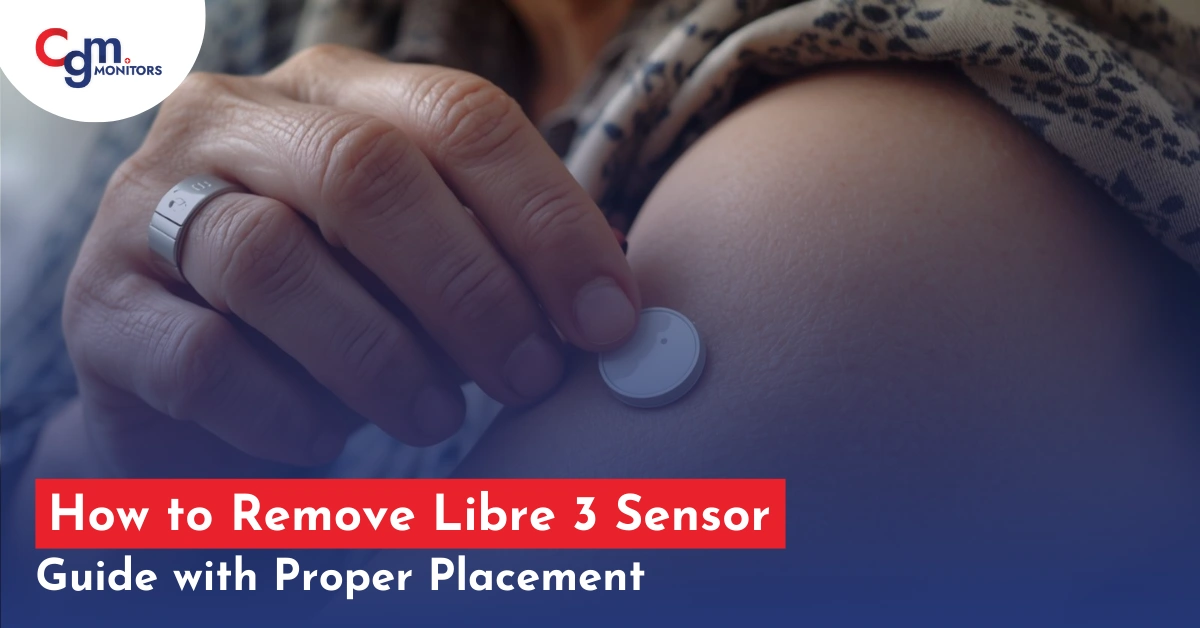
Removing your Freestyle Libre 3 Sensor is a simple process, but doing it carefully ensures your skin stays healthy. Whether it’s time to replace the sensor or you need to remove it early, proper steps help prevent irritation. With the right technique and a little patience, you can safely take off the sensor without discomfort. Follow this step-by-step guide to make sensor removal easy and hassle-free. Moreover, if you are new to Libre 3 sensor applications and do not know how to apply this sensor, this blog will also help you in this regard with proper instructions with caring.
How to Remove Libre 3 Sensor in 7 Easy Steps
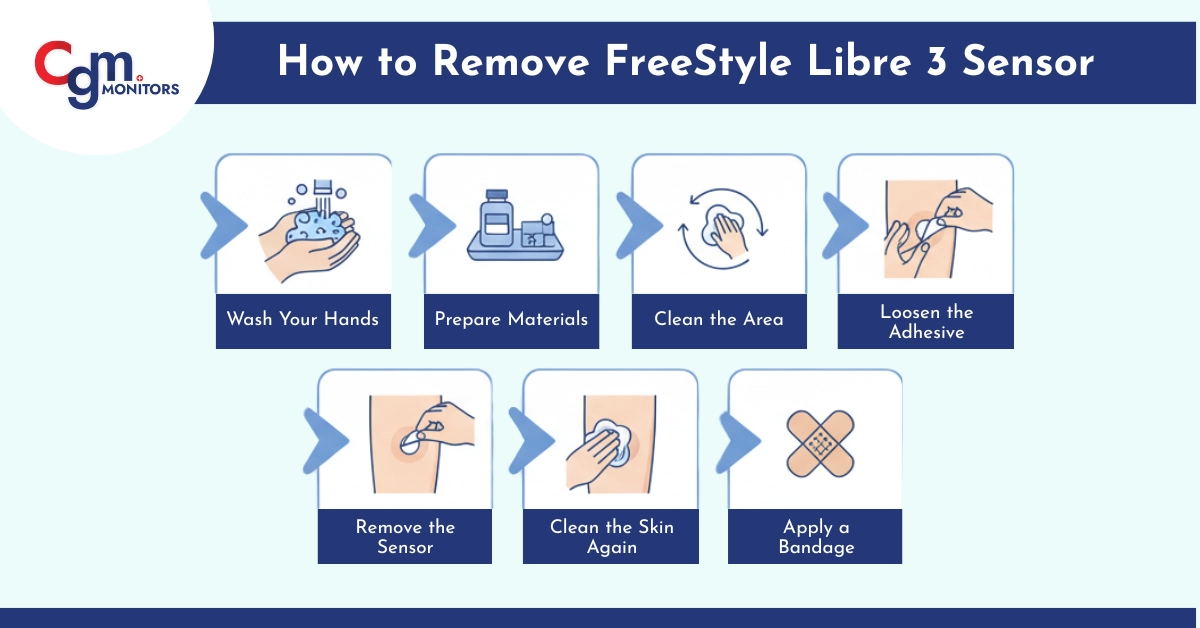
Step 1: Wash Your Hands
Before touching the sensor, wash your hands properly with soap and water. This reduces the risk of infection (Bacterial or viral) and keeps the site clean.
Step 2: Prepare Materials
You’ll need:
- Adhesive remover (optional, like medical tape remover)
- Rubbing alcohol or antiseptic wipes (the best option)
- A clean cotton ball or gauze for extra precautions
- Bandage (if required)
Step 3: Clean the Area
Gently clean the skin around the sensor with an alcohol wipe to reduce bacteria and viral infection. Let it air dry for a few seconds.
Step 4: Loosen the Adhesive
If the sensor is firmly attached with CGM patches, use your fingers or a medical adhesive remover to lift the edges gently. Pull slowly with the help of your index finger and thumb to avoid skin irritation.
Step 5: Remove the Sensor
- Hold your Libre 3 sensor close to the skin.
- Slowly peel it off from one side to the other.
- Apply gentle pressure on the skin nearby to minimize discomfort.
Tip: Pulling straight off quickly can sometimes hurt more than slow, steady removal.
Step 6: Clean the Skin Again
After removing the Libre 3 sensor, wipe the area with rubbing alcohol or a mild antiseptic to remove any leftover adhesive.
Step 7: Apply a Bandage (Optional)
If your skin is sensitive or slightly irritated, cover the area with a small bandage for a few hours.
Extra Tips
- Avoid using sharp objects like a knife or scissors to remove the sensor.
- If the adhesive residue is deeply embedded, use baby oil or an adhesive remover pad for moisturizing.
- Remove the sensor at the end of its 14-day period for maximum accuracy.
What to Do After Removal of Libre 3
- Clean and Soothe – Wash the placement site with mild soap and water. For sensitive skin, apply a fragrance-free lotion or aloe vera to calm irritation.
- Avoid Sharp Objects – Gently peel the sensor off with your fingers; do not use scissors or knives.
- Rotate Sites – Place your next sensor on a different spot on the back of your upper arm to let your skin heal and ensure accuracy.
- Remove Adhesive Safely – Use a medical adhesive remover wipe if sticky residue remains.
- Check Skin Health – Look for redness or irritation; consult your doctor if it worsens before applying a new sensor.
- Dispose Properly– Follow package instructions; use a sharps or medical waste container for used sensors and applicators.
- Store Next Sensor Properly – Keep it in its original packaging at room temperature until use.
Quick Action in Short Steps
- Pull off the adhesive edge.
- Slowly peel it away, all in one motion.
- Dispose of this old sensor and applicator as per the guide on your package.
Now, to insert a new sensor, find a site, possibly on the other arm – it’s suggested to rotate sites.
Still using the old finger-prick method?
Get a free benefit check from CGM Monitors and claim your CGM device today.
Steps to Applying the New Libre 3 Sensor
- Wash the application site with non-fragrant soap like Hibiclens Antiseptic Skin Cleanser or water.
- Dry with a clean towel. Then clean with an alcohol wipe. Let the space dry.
- The Freestyle Libre 3 sensor and applicator come assembled, so you don’t need to attach them. Only unscrew the cap and put it aside.
- Do NOT put the cap back on, as it may harm the sensor.
- Place this applicator (which has the sensor inside it) over this prepared site on the back of your upper arm.
- Push down firmly – sensor applied.
Common Removal Problems and Solutions in Libre Sensor
Problem 1: Sensor Won’t Come Off
Why it happens: Extra-strong adhesive, additional over-patches, or particularly sticky conditions can make removal difficult.
Solutions:
- Use generous amounts of oil or adhesive remover.
- Let the remover soak for several minutes.
- Try removal after a warm shower.
- Apply remover as you peel, not just at the beginning
Never: Use scissors, knives, or sharp objects to remove the sensor. This can cause injury.
Problem 2: Painful Removal
Why it happens: Pulling too quickly, insufficient adhesive breakdown, or removing against hair growth.
Solutions:
- Always use oil or adhesive remover
- Pull slowly and parallel to skin
- Support surrounding skin with your other hand
- Peel in the direction of hair growth
- Consider shaving the application area for future sensors
Problem 3: Excessive Adhesive Residue
Why it happens: Strong adhesive, hot weather conditions, or extended wear can leave stubborn residue.
Solutions:
- Soak a cotton ball in baby oil and hold it on the residue for 2-3 minutes.
- Use medical adhesive remover for stubborn spots.
- Multiple applications may be necessary.
- Avoid harsh scrubbing that damages skin.
Problem 4: Skin Irritation After Removal
Why it happens: Adhesive sensitivity, pulling too hard, or pre-existing skin condition.
Solutions:
- Apply cool compress for 10-15 minutes.
- Use over-the-counter hydrocortisone cream.
- Take an antihistamine if itching is severe.
- Avoid tight clothing over the area.
- Let skin fully recover before applying the next sensor.
Note: The FreeStyle Libre 2 and Libre 3 sensors are being discontinued as of September 30, 2025. You have to pick Libre 3 plus and Freestyle libre 2 Plus to manage your diabetes with no worries.
Conclusion
Removing a Freestyle Libre 3 sensor is easy; you need to pull off the adhesive and slowly peel the sensor off in one direction. However, if you experience any difficulty, you can apply an adhesive remover, baby lotion, or coconut oil around the edges of the CGM sensor. Once the adhesive begins to loosen, gently peel off the sensor, taking care not to irritate the skin.
Disclaimer: This blog is for informational purposes and is written expertly. Cgm Monitors’ experts always consult a healthcare specialist before taking any medical action.
Frequently Asked Questions
Does the Libre sensor leave a needle in your arm?
No, the insertion needle retracts automatically after placing a flexible filament under the skin for glucose monitoring. Only the soft filament remains, reducing risks of irritation or infection.
What can I use to help remove the Libre 3 sensor?
Apply baby oil or a moisturizing product around the adhesive edges to loosen it before gently peeling. For stubborn adhesion, use isopropyl alcohol available at pharmacies or warm soapy water after removal to clean the site.
How to remove CGM adhesive?
Soften the adhesive with baby oil, coconut oil, or a dedicated remover like Uni-Solve before peeling. Gently rub the area with a soft cloth and warm water afterward to ensure complete removal without irritation.
What do I do if I knock my Libre sensor off?
Inspect for damage; if intact and under 14 days, apply an overpatch to secure it, but replace if readings are unreliable. Submit a support request to Abbott for a free replacement sensor.
Why is my Libre Sensor painful?
Discomfort often stems from filament placement near nerves or muscle, or adhesive irritation over time. Try alternative sites or over-the-counter pain relief, and seek medical advice if pain intensifies.
What are the disadvantages of Libre Sensor?
Potential skin irritation or allergic reactions to adhesive, and occasional sensor failures requiring replacement. Lack of real-time alarms in some models may miss rapid glucose changes without scanning.
Can a FreeStyle Libre be placed somewhere other than the arm?
Official placement is the back of the upper arm, but off-label sites like the abdomen or thigh may be used with caution. Consult your healthcare provider to ensure accuracy and safety at alternative locations.
What are the side effects of the FreeStyle Libre Sensor?
Common effects include mild skin irritation, redness, or itching at the insertion site. Rarely, bruising or infection may occur; discontinue use and seek medical help if severe.
How often should FreeStyle Libre sensors be replaced?
Replace every 14 days for standard models or 15 days for Plus versions to maintain accuracy. The sensor will alert when it’s time for a new one.



I put the cap back on the Libre 3 and can’t get the sensor to release from top of cap. What can I do?
Hello David. Thanks for reaching out!
To apply your FreeStyle Libre 3 sensor:
Hold the back of the applicator (the smooth part with a Freestyle logo).
Twist and remove the sensor cap — it’s the part with the vertical grip lines.
Place the applicator firmly against your cleaned application site (usually the back of the upper arm).
Press down firmly until you hear a click. That means the sensor is properly inserted.
Need a visual guide? Watch this short clip from 1:27 to 1:52:
https://youtu.be/ePnLXUcdBfc?si=GGtM5vf-cj1x_86b
Let us know if you need help with sensor removal or pairing too!