
Table of content
- Introduction
- What is Dexcom G7, and how is it Different?
- Best Dexcom G7 Compatible Phones
- How to Connect Dexcom G7 to Phone
- Best Dexcom G7 Compatible Watches
- Advantages of Using Dexcom G7 Compatible Phones
- Dexcom G7 Receiver: When Your Phone Isn’t Compatible
- Final Thoughts: Which Phones Work Best for Dexcom G7?
- Frequently Asked Questions
Introduction
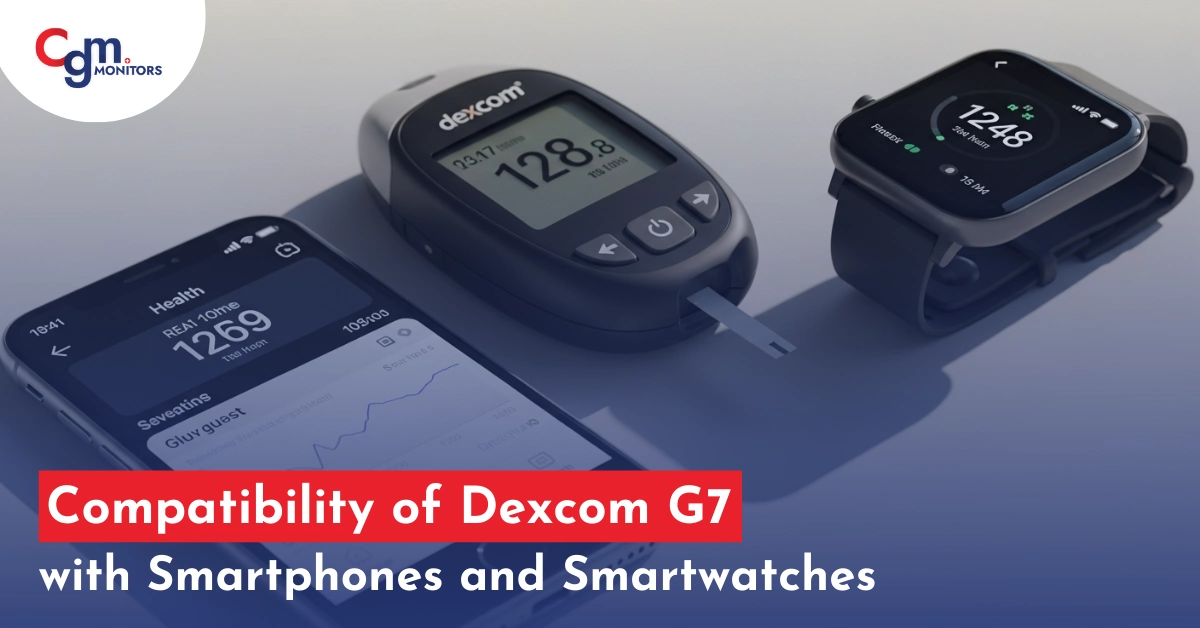
If you need to buy the new Dexcom G7 compatible phones and are doubtful about which smartphones and smartwatches work fit, this informational blog is for you. The G7 compatible smartphone list is huge, including different models from Apple, Google, Samsung, Motorola, Xiaomi, Sony, Sharp, Nothing, Infinix, Asus, Realme, Oneplus, Kyocera, Doogee, and a model from Cubot as well. In case of compatible smartwatches, any smartwatch meeting the minimum requirement of Apple watchOS 9.1.0. However, there is a separate list of ‘direct to watch’ compatible watches.
What is Dexcom G7, and how is it Different?
Unlike the old CGMs, which required separate transmitters to be attached to your sensors, the Dexcom G7 is a CGM System that comprises up of an improved sensor that has a built-in transmitter, and a compact handheld G7 reader which, as the data can be sent directly to your phone, is not mandatory. These sensors are much smaller than their predecessors and have a warm-up time of 30-minute only. Each sensor lasts for up to 10 days and at the expiration of sensors, you get a 12-hour grace period.
Sensors have micro pins for detecting your glucose data from interstitial blood, which, if not inserted correctly, may result in inaccuracies or other errors. People with an active lifestyle find it helpful to use CGM stickers, such as CGM Patches for better grip and keeping their sensors intact.
Not only the Dexcom G7 sensor have better features, but its size is also far more compressed than prior generations from Dexcom. Hence, apparently, it’s more practical for many.
Best Dexcom G7 Compatible Phones
Following are some of the compatible devices:
1. Apple iPhone Series
- iPhone 6s, 7, 8, 8 Plus and X series: These earlier iPhone models provide solid compatibility with Dexcom G7 sensors and work smoothly for most users.
- iPhone 11, 11 Pro, 11 Pro Max, 12, 12 Mini, 12 Pro, 12 Pro Max, 13, 13 Mini, 13 Pro, 13 Pro Max, 14, 14 Plus, 14 Pro, 14 Pro Max, and 15, 16, 16 Pro and Max and latest IPhone 17 Series (17, 17 Pro and Max): These newer models are recommended due to their improved Bluetooth connectivity, faster processors, and overall stability with the Dexcom app. Many users report minimal connectivity issues and optimal performance.
User Highlight: iPhone 12, iPhone 13 and other upgraded models are frequently praised for their long battery life and seamless integration with Dexcom G7. Many users mention that these models offer a great combination of power and reliability.
Important: Some users of iPhones reported issues after upgrading to iOS 18 (or later) with pairing failures or the G7 app not functioning as expected. All information provided here is based on user reviews and feedback. You should not rely on this information only and always do personal research before making any purchase.
2. Samsung Galaxy Series
- Samsung Galaxy S Series: These flagship models from Samsung like Galaxy (S10, S10+, S10e, S10 5G), Galaxy S20 series (S20, S20 +, S20 Ultra), Galaxy S21 series (S21, S21 FE, S21 Ultra), Galaxy S22 series (S22, S22+ and S22 Ultra), Glaxy S23 Series (S23, S23+ and S23 Ultra), Samsiung glaxy S24 to onward latest Series of 2025 S25 (S25, S25+ and S25 Ultra) are known for their fast performance and superior Bluetooth connectivity, which makes them ideal for continuous data exchange with the Dexcom G7 sensor.
- Samsung Galaxy Note 10 and Note 20: Although older, these devices continue to provide solid compatibility with Dexcom G7 and receive positive reviews for their large, clear screens and fast performance.
- Samsung Glaxy A Series: A12, A13, A13 5G, A14 5G, A21, A22, A22 5G, A31, A32 5G, A34 5G are purely compatible with Dexcom g7 sensor. We did not see any issues reported regarding these devices.
User Highlight: Some users face issues in Android 15 version phones like A05, A05s, A14, A14 5G, A15, A15 5G, A24, A25, A33, A34, A35, A53, A54, A55, A73 devices. According to Dexcom itself flagged that phones running Android 15 were not compatible for a period it may cause “Signal loss” when pairing the G7 sensor. By resolving this issue, it is simply recommended to upgrade these models to Android 16. Among Galaxy models, users frequently highlight the Samsung Galaxy S21 for its consistent connection and the ability to handle multiple apps without slowing down. It is often considered one of the best Android phones like the Samsung S25 Ultra, for Dexcom integration.
3. Google Pixel Series
- Pixel 3, 4, 5, 6, 7, 8 and 9 series: Google Pixel phones like Pixel 3, Pixel 3 XL, Pixel 4, Pixel 4 XL, Pixel 4a, Pixel 4a 5G, Pixel 5, Pixel 5a, Pixel 6, Pixel 6 Pro, Pixel 6a, Pixel 7, Pixel 7 Pro, Pixel 7a, Pixel 8, Pixel 8 Pro, Pixel 8a, Pixel 9, Pixel 9 Pro, Pixel 9 Pro XL, Pixel 9a and Pixel Fold are known for their clean Android experience and consistent software updates, which ensure a smooth experience with the Dexcom G7 app.
User Favourite: The Google Pixel 9 and 7 Pro are often highlighted by users for its responsive touchscreen and reliable Bluetooth performance, making it one of the top choices for those using Dexcom G7.
Complete compatible list of Dexcom G7 phones and watches, including the ‘direct to watch’ option.
How to Connect Dexcom G7 to Phone
Follow these 7 steps to connect your device:
- Open the Dexcom G7 app on your phone.
- Sign in or create your Dexcom account.
- Tap on “Start Sensor” in the app.
- Use your phone to scan the sensor code or enter it manually.
- Keep your phone close to the sensor for pairing.
- Wait for the system to connect via Bluetooth.
- Allow the sensor warm-up period (usually around 30 minutes).
What do you do if Dexcom G7 won’t connect? If you face connection issues, it is recommended to restart your phone, turn your mobile Bluetooth off and back on, close and reopen the app, ensure your phone is compatible (as discussed above) and than re-scan the sensor code if needed
Best Dexcom G7 Compatible Watches
Dexcom G7 is the first and only CGM system that connects directly to Apple Watch, offering users unprecedented freedom in glucose monitoring. Supported models include Apple Watch Series 6, 7, 8, 9, 10, the 2nd-gen SE, and both Ultra editions, all powered by watchOS 10 or higher, alongside an iPhone on iOS 17+ and Dexcom G7 app version 2.1+. Android-based options like Wear OS lack this native direct link for now; a smartphone must stay within Bluetooth range to forward the vital data.
Fact To Consider: This setup can sync with Apple Fitness+ for real-time activity-adjusted glucose trends.
Understanding the Direct to Watch Feature
Direct to Watch connects the Dexcom G7 sensor directly to your Apple Watch using Bluetooth, sending CGM data right to your watch with no phone needed.
Key Benefits:
Phone-free monitoring: Leave your iPhone behind and manage diabetes from your watch, hands-free.
Enhanced discretion: Check glucose levels with a quick glance at your wrist.
Added protection: Continue monitoring even if you misplace your phone.
Activity freedom: Perfect for sports, exercise, or outdoor activities.
Advantages of Using Dexcom G7 Compatible Phones
Here are some key advantages of using Dexcom G7 compatible phones:
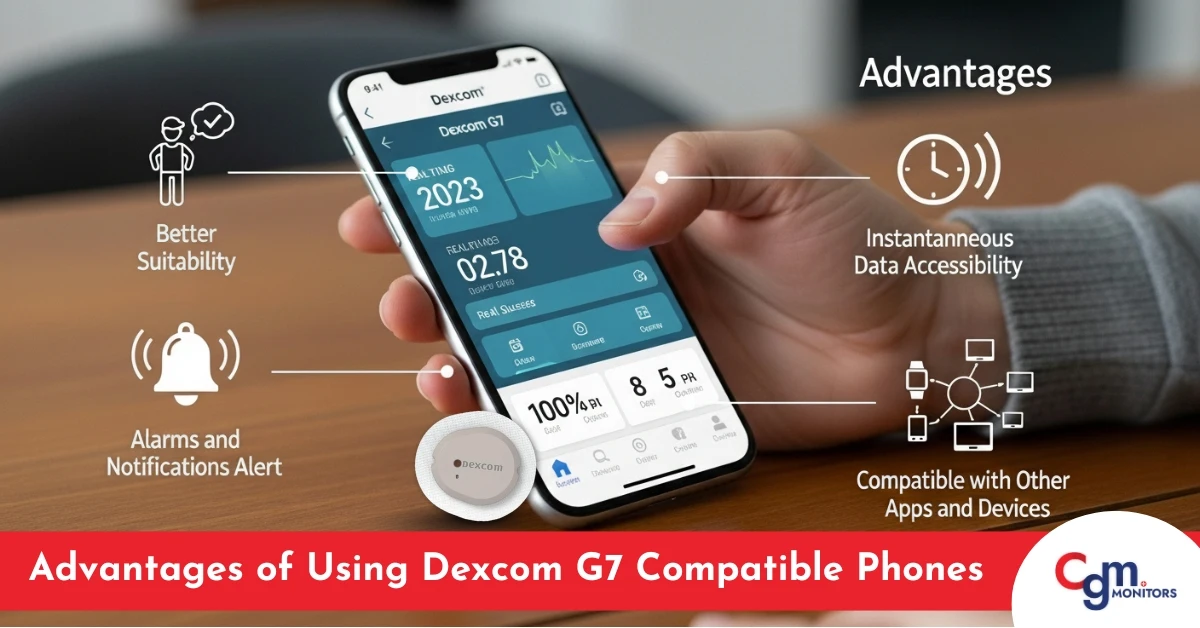
Better Suitability
The Dexcom G7 CGM system offers matchless suitability by mixing with a smartphone. Users can contact glucose data, trends, and signals directly on their phones without requiring an extra receiver or display device. That updates the monitoring process and permits subtle and constant glucose management.
However, as per some users Dexcom G7 receivers tend to have fewer issues, thus they prefer using it over the Dexcom G7 mobile app.
Instantaneous Data Accessibility
With the Dexcom G7 compatible phones, users can see their glucose levels in real time, providing valuable data about their blood sugar. It allows entities to make instant decisions about insulin dosing, dietary choices, and physical activity that improves their diabetes management.
Alarms and Notifications Alert
The Dexcom G7 compatible phone apps can show customizable alarms and warnings to users. These alarms can inform users about high or low glucose levels, impending hypoglycemia or hyperglycemia, or the rate of changes in glucose levels. These features assist people in taking active measures to promptly stop or address potential issues, leading to better glycemic control.
Compatible with Other Apps and Devices
The Dexcom G7 compatible phones app can mix with numerous health and wearable devices, fitness apps, and digital health platforms. This integration allows a complete health management method by providing users with an inclusive summary of their health metrics, such as activity levels, sleep patterns, heart rate, and glucose trends. Such a combination provides better insights into the interaction between numerous factors and helps in creating informed decisions.
Dexcom G7 Receiver: When Your Phone Isn’t Compatible
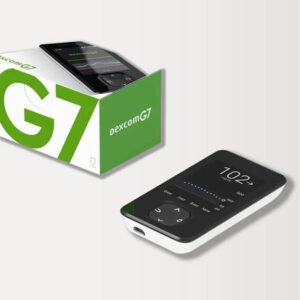
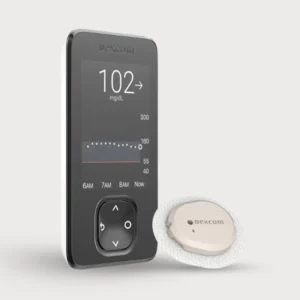
If your smartphone isn’t compatible with Dexcom G7, the redesigned G7 receiver provides an excellent alternative.
G7 Receiver Features
Design Improvements:
- Smaller, more portable than previous generations.
- Vibrant, easier-to-read color display.
- Touchscreen interface.
- Improved battery life.
- Discreet and pocket-friendly.
Functionality:
- Displays real-time glucose readings.
- Shows trend arrows and graphs.
- Provides customizable alerts.
- No smartphone required.
- Works independently from any phone.
Who Should Consider the Receiver:
- Users with incompatible smartphones.
- People who prefer not to use smartphones for health data.
- Backup device for primary phone users.
- Children whose parents want separate monitoring.
Final Thoughts: Which Phones Work Best for Dexcom G7?
While all the listed phones are compatible with the Dexcom G7, the ones that stand out for their superior performance and user satisfaction are:
- Apple: iPhone 11 and newer, up to 17 Pro Max are supported. (especially noted for seamless operation)
- Samsung: Many mid-range and flagship Galaxy A & S series phones (e.g. A13, A21, S20, S21, etc.) work well. (highly recommended for its reliable connectivity)
- OnePlus / Xiaomi / Sony / Oppo: Recent models from these brands are also on the compatible list. (praised for its consistent Bluetooth and app performance)
Frequently Asked Questions
Which phones are compatible with the Dexcom G7?
Lowest operating system (OS) for Android is 12 and highest is 15. In case of iOS, the lowest is 16.4.0 and the highest is 18.5.0. Complete list of G7 compatible devices can be found here.
Is the Dexcom G7 compatible with the Samsung S23?
Yes, Samsung Galaxy S23 models SM-S911, SC-51D, SCG19 are compatible with Dexcom G7.
Can the Dexcom G7 display on an Apple Watch?
Yes, if you simply want your smartwatch as an extension while keeping your phone connected to the sensor, you may use any meeting the minimum requirement of Apple watchOS 9.1.0. However, if you want a direct to watch option, go to this G7 compatibility page and click on ‘check compatibility list here’ button.
What Fitbit watches are compatible with the Dexcom G7?
Fitbit Versa series, including Versa 4, and Sense models are compatible via the Glance clock face app for displaying G7 glucose readings. A paired smartphone is necessary to sync data from the Dexcom app to the Fitbit device.
What is the best smartwatch for diabetes?
The Apple Watch Series 10 stands out for diabetes management due to its direct Dexcom G7 connectivity and comprehensive health tracking features. The user favourite is the Garmin Venu 3 because it offers strong alternatives with extended battery life and native CGM integration for active users.
Do Garmin watches work with the Dexcom G7?
Yes, Garmin watches with Connect IQ, such as the Fenix 7 and Venu 3, support Dexcom G7 through dedicated data fields for real-time glucose display. A compatible smartphone is required for initial setup and ongoing data relay.
Why isn't Dexcom showing on Apple Watch?
Common issues include incomplete setup, outdated watchOS, or Bluetooth disconnection; restart the Direct to Watch pairing in the Dexcom app. Verify compatibility with Series 6 or later and ensure the iPhone app is updated to version 2.1 or higher.
What series Apple Watch works with Dexcom?
Apple Watch Series 6 through 10, SE 2nd Generation, and Ultra series are compatible with Dexcom G7 for direct glucose monitoring. watchOS 10 or later is required, paired with an iPhone on iOS 17 or above.
What do I do if my phone is not compatible with the Dexcom?
See software information and then upgrade to a supported device running iOS 17+ or Android 13+, or utilize the Dexcom G7 receiver from CGM Monitors for independent monitoring.
What pumps is the Dexcom G7 compatible with?
The iLet Bionic Pancreas, Omnipod 5, Tandem Mobi System, and Tandem t:slim X2 AID systems are compatible with Dexcom G7 sensors.
Does the Dexcom G7 work with an Omnipod pump?
Yes, the Omnipod 5 pump is compatible with the Dexcom G7 sensors.
Top Selling Products


Feature Product



Write a comment
Your email address will not be published. All fields are required