
Table of content
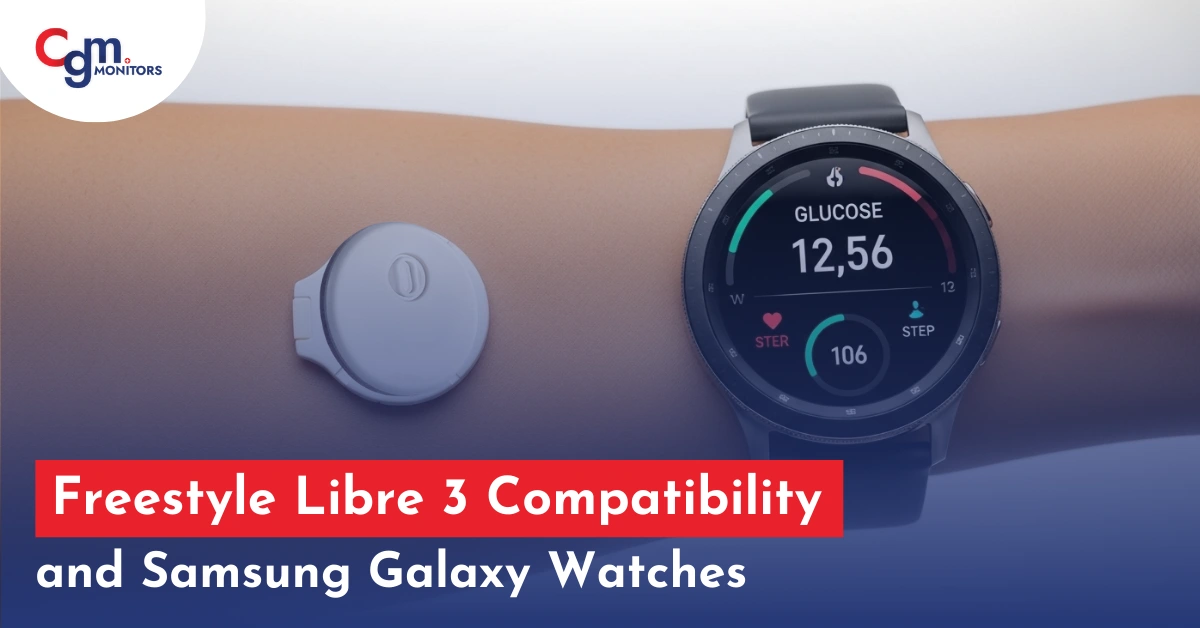
Continuous Glucose Monitoring (CGM) is merely an aid for people living with diabetes. Unlike traditional fingerstick tests, CGM systems provide real-time glucose readings 24/7 without needing you to prick your fingers. The Freestyle Libre 3 has made glucose monitoring easier than ever, and now many users want to extend its convenience to their smartwatches. If you’re using a Galaxy Watch 7, other Samsung watches, or a different smartwatch, you’ll be glad to know that the Freestyle Libre 3 smartwatch compatibility options are growing. By pairing your phone with your watch, you can view your glucose data, trend arrows, and alerts without constantly reaching for your phone.
With the LibreLink app for Samsung latest watches, setting up the Libre 3 on Samsung Watch models has become more seamless, especially for devices running the latest OS 5.1 (based on Android 15). Whether you’re searching for a smartwatch compatible with Freestyle Libre 3, this blog of CGM monitors will help you in this regard. First of all, understand the basics of Libre 3 Sensor because we value our new users.
Note: Since Abbott has permanently discontinued the Libre 2 and Libre 3 sensors, users should transition to the upgraded Libre 2 Plus or Libre 3 Plus for continued compatibility and support.
Here is a quick look at the Libre 3 sensor, and then you will find its compatibility. Moreover, due to the transition, we will also compare the old Libre 3 to the latest Libre 3 sensor.
What is the Freestyle Libre 3 Sensor?
Just like other modern CGM systems, the Freestyle Libre 3 sensors provide continuous monitoring, keeping diabetics more informed and helping them make more informed decisions about food, exercise, and insulin use. It offers custom glucose alert options, which you can set as your doctor suggests. Thus, it prevents extreme highs and lows in blood sugar.
Libre 3 has a crown for being the world’s smallest CGM monitor with the best MARD (mean absolute relative difference) value of 7.8%. Sleeker, more compact, and has more advanced features than its predecessors.
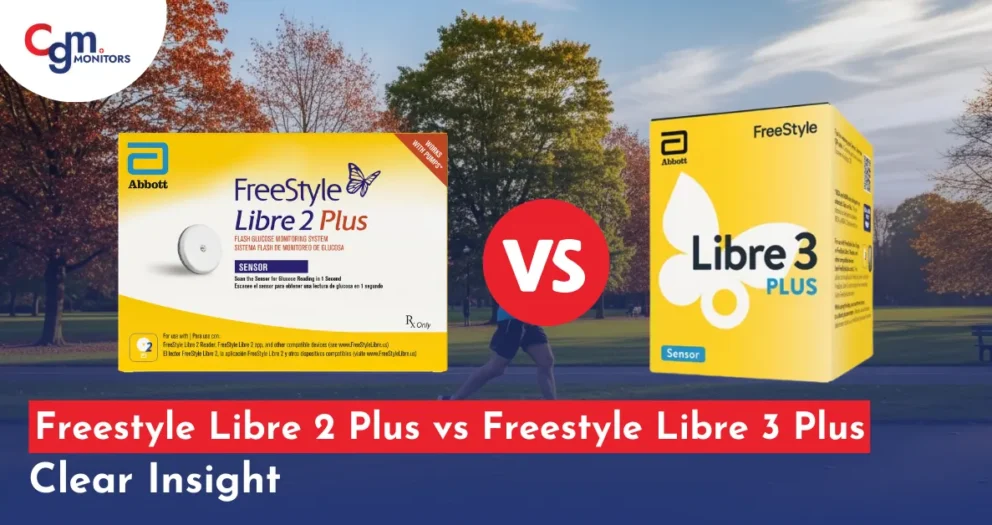
Libre 3 vs Libre 3 Plus Weartiime and User Age: The Libre 3 weartime was just 14 days but Libre 3 Plus has 15 days of weartime, means you have an extra day for monitoring your glucose level. Libre 3 plus has minumum 2 years and older user age as compared with libre 3. (4 years of user age)
Freestyle Libre 3 Compatibility in 2025
As we know, Libre 3 has revolutionized continuous glucose monitoring (CGM) with its real-time glucose readings and seamless integration with different smartphones and smartwatches, especially Samsung Galaxy. Understanding its compatibility with various devices is crucial for optimal performance and user experience.
Smartphone Compatibility: Libre 3 vs Libre 3 Plus
Smartphone compatibility is one of the most important factors for CGM users. Abbott confirms that the Libre 3 Plus uses the same smartphone compatibility list as the FreeStyle Libre 3.
Compatible Smartphone Requirements
To use either sensor, your phone must have:
- A supported iOS version (iPhone) or Android OS version
- Bluetooth for continuous glucose streaming
- NFC for sensor activation (in some regions)
- A device listed on Abbott’s official compatibility list.
Here is the list that will help you completely.
Smartphone Compatibility
The Freestyle Libre 3 app works with select iOS and Android devices. To ensure your smartphone is compatible, refer to FreeStyle Libre’s guide. Here is the latest list that will be helpful to you for better understanding.
iOS Devices:
- iPhone 11, 11 Pro, 11 Pro Max
- iPhone 12, 12 Mini, 12 Pro, 12 Pro Max
- iPhone 13, 13 Mini, 13 Pro, 13 Pro Max
- iPhone 14, 14 Plus, 14 Pro, 14 Pro Max
- iPhone 15, 15 Plus, 15 Pro, 15 Pro Max
- iPhone 16, 16 Pro, 16 Pro Max
- iPhone 17, 17 Pro, 17 Pro Max. (Yes, newly launched iPhone series are also compatible with Libre 3 and Libre 3 Plus sensors)
Note: It is recommended to ensure your iPhone is running the latest iOS version for optimal performance. If you have an old iPhone 7, do not worry, your Libre 3 and Libre 3+ are also compatible with this device if your IOS is fully updated.
Android Devices:
- Google Pixel series (Pixel 2 and newer, like Pixel 8 Pro)
- Samsung Galaxy S series (S7 and newer like S23+, S24 Ultra)
- Samsung Galaxy Note series (Note 8 and newer)
- Samsung Galaxy A series (A52 and newer like A42 5G or A52s 5G)
- OnePlus devices (OnePlus 6 and newer)
- Xiaomi Redmi Note series (Note 9 and newer, like OnePlus 11 or 12)
- Motorola Moto G series (Moto G60S and newer, like Edge 60 Fusion or Moto G96)
Note: It is recommended that Android devices should be running Android 8.0 or newer.
Smartwatch Compatibility: Apple Watch Ultra and Samsung Galaxy Watches
Many users ask: Does FreeStyle Libre 3 connect to Apple Watch Ultra? The Official Rule given by Abbott is “FreeStyle Libre 3 and Libre 3 Plus do not directly connect to any smartwatch.” Smartwatches cannot read glucose directly from the sensor. Instead, your smartphone acts as the bridge.
Sensor → Smartphone → Smartwatch
Compatibility depends on the smartwatch brand and operating system.
Supported Smartwatches:
- Apple Watch: Series 5 and newer running watchOS 9.0 or later (From Apple Series 4 to Series 10)
- Samsung Galaxy Watch: Models running Wear OS 4.0 or later (From Galaxy Watch 7 to Watch Ultra)
- Fitbit: Versa 3 and Sense models with Fitbit OS 5.3 or newer
- Garmin: Select models with Garmin OS supporting notification mirroring
Libre 3 Plus vs Libre 3 smartphone compatibility: According to the manufacturer FreeeStyle, Libre 3 Plus uses the same smartphone-compatibility list as Libre 3. It is recommended to use the latest iPhone and smartwatches to use with these sensors.
Freestyle Libre 3 and Samsung Galaxy Watch Ultra: Calibration
With the help of 3rd party apps, the Freestyle Libre 3 sensor works with the Samsung Galaxy Watch Ultra, creating a powerful combination for managing diabetes.
How to Calibrate Both Devices
While the Freestyle Libre 3 sensor does not require fingerstick calibration under normal circumstances, you can still calibrate it with your Samsung Galaxy Watch Ultra for enhanced accuracy. If you have your Freestyle Libre 3 linked to your Samsung watch, the watch will display glucose readings directly on its screen, enabling easy tracking without reaching for your phone.
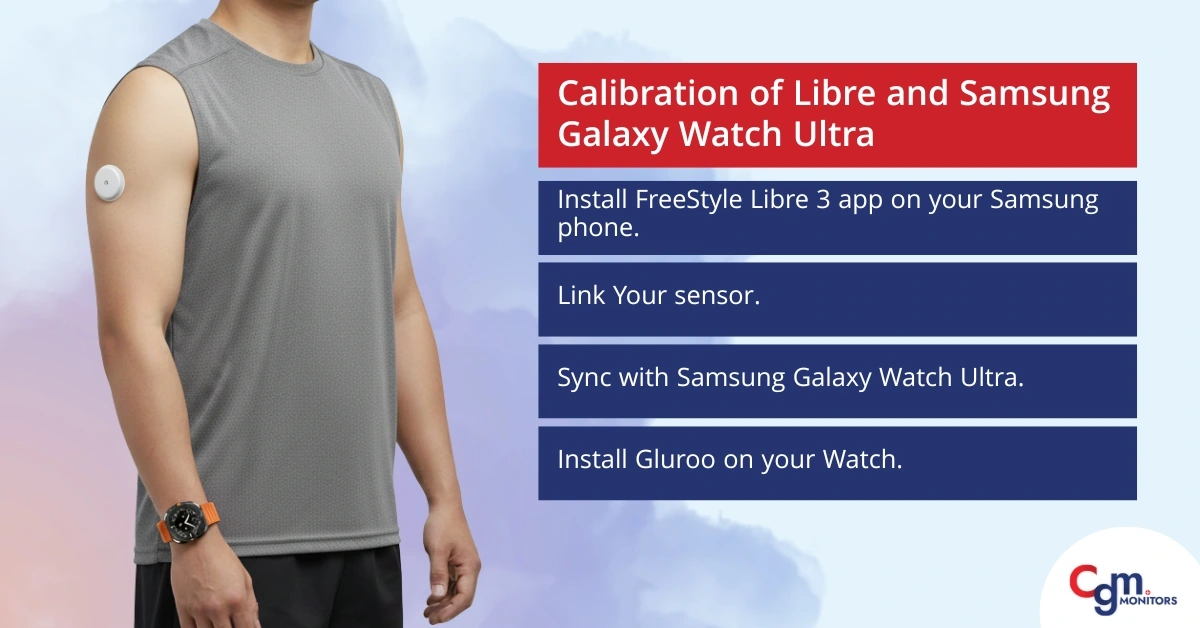
Steps for Setting up and Calibrating both devices:
- Install FreeStyle Libre 3 app on your Samsung phone and pair it with your sensor.
- Link the sensor: Follow the instructions to connect the Freestyle Libre 3 sensor to your smartphone using the FreeStyle LibreLink app.
- Sync with Samsung Galaxy Watch Ultra: No official watch integration yet. Thus, register as a follower in LibreLinkUp, then install a third-party app (Gluroo or Juggluco) on both your phone and watch to fetch and display the glucose data.
Gluroo for Android
Gluroo for iOS
As long as Juggluco is concerned, you may need to download an APK file from their website and then enable from your device’s settings. - Install Gluroo on your Watch, then configure a watch face or complication (like “Big Info” or an analogue dashboard) to display live glucose trends.
By pairing these two devices, users can effortlessly track their glucose levels while keeping an eye on other health metrics, such as heart rate and activity level, from their Samsung Galaxy Watch Ultra.
Apple Watch Ultra & Ultra 2 Compatibility
| Apple Watch Model | Direct Sensor Connection | Glucose Notifications | Glucose Complications (via third-party apps) |
|---|---|---|---|
| Apple Watch Ultra | ❌ No | ✔ Yes | ✔ Yes |
| Apple Watch Ultra 2 | ❌ No | ✔ Yes | ✔ Yes |
| Apple Watch Series 6-9 | ❌ No | ✔ Yes | ✔ Yes |
How It Works:
- FreeStyle Libre 3 / Libre 3 Plus sends glucose data to iPhone.
- iPhone sends glucose alerts & notifications to the Apple Watch Ultra.
- Third-party integrations like Sugarmate or Nightscout allow glucose widgets/complications.
Practical Tips:
- Always sync the phone first before expecting the watch to display glucose alerts.
- Restart the watch after pairing to ensure notifications update properly.
- Avoid long delays between phone and watch connection; Bluetooth interruptions may cause missed alerts.
Why Libre 3 Plus Is Better for Compatibility
Even though compatibility lists are identical, Libre 3 Plus has important advantages:
- Future-proof: Regular updates and future compatibility testing.
- Better stability with newer smartphones: Especially Android phones that update frequently.
- Recommended by Abbott: Since Libre 3 is discontinued, new phone support focuses on Libre 3 Plus.
Conclusion:
Ensuring your devices are compatible with the Freestyle Libre 3 and Libre 3 plus is essential for accurate and convenient glucose monitoring. By pairing the sensor with supported smartphones and smartwatches (Samsung Galaxy or others), you can access real-time glucose data, alerts, and trends seamlessly. Always verify device requirements and follow setup instructions to make the most of your CGM experience. There is no app officially announced by the Freestyle Libre to be connected to smartwatches. However, with the help of some 3rd party apps like Gluroo or Juggluco, many Galaxy ultra smartwatch users have been able to mirror the mobile phone notifications, including the FreeStyle Libre 3 app notification on their watches.
Disclaimer: This blog is for informational purposes only and does not constitute medical, legal, or professional advice. While we strive for accuracy, errors or omissions may occur. Always consult your doctor before taking any medical action.
Frequently Asked Questions
Does Freestyle Libre work with smartwatch?
The FreeStyle Libre system does not directly connect to smartwatches, but notifications and readings can be mirrored from a compatible phone app to select smartwatches like Apple Watch via third-party apps such as GlucoWatch or Glucose Direct.
Can Libre sensors be connected to two devices?
The FreeStyle Libre 3 sensor connects directly to only one smartphone at a time via Bluetooth for continuous glucose monitoring. However, you can share readings with up to 20 devices via the LibreLinkUp app for remote monitoring, though data from multiple direct connections won’t merge.
What phones are compatible with the FreeStyle Libre 3 Plus sensor?
Compatible iPhones include models from iPhone 7 (and 7 Plus) through iPhone 17 series, running iOS 15.6 or later. For Android, supported devices include Samsung Galaxy S7 Edge through S24 series, Google Pixel 3 through 9, and various Motorola/Huawei models; check the full list on Abbott’s compatibility guide for OS versions (Android 9+).
Is Libre 3 direct to watch?
No, the direct to watch feature is not available with Libre 3. Apple Watch users who may be looking for a direct to watch option may opt for Dexcom G7 sensors.
Is Libre 3 compatible with Samsung phones?
Yes, Android versions 10, 11, 12, 13, 14, 15 are compatible with Libre 3 sensors. You can see a list of Libre 3 compatible phones here.
How long does the Freestyle Libre 3 sensor last?
The Freestyle Libre 3 sensor is designed to last for up to 14 days. After 14 days, users will need to replace the sensor with a new one. This two-week wear time eliminates the hassle of frequent sensor replacements, providing an easy and long-lasting monitoring solution.
Is the Freestyle Libre 3 sensor water-resistant?
Yes, the Freestyle Libre 3 sensor is water-resistant. It can be submerged in water up to a depth of 3 feet for up to 30 minutes. This makes it suitable for wearing during activities such as swimming or showering without the need to remove the sensor.
Top Selling Products

Featured Products

Samsung smartwatch with sim can work with Libre 3 plus with out connected to a smartphone?
Currently, FreeStyle Libre 3 system does not support direct-to-watch glucose readings.
However, some users have found workarounds to display Libre 3 data on their smartwatches. For instance, by using the LibreLinkUp app in conjunction with third-party apps like Gluroo and Nightguard, it’s possible to view glucose readings on devices such as the Apple Watch or Galaxy Watch.